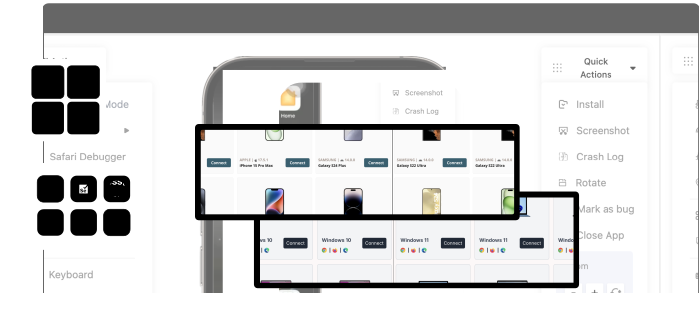

Your app passed every test. Then it broke on a Samsung in Jakarta, crashed on a Xiaomi in São Paulo, and froze on a Pixel in Berlin. Here’s the data behind why.
Your Tests Passed. Your Users Disagree.
Here’s a scenario where every mobile team has lived through – your CI pipeline is green. Your QA team signs off. You ship with confidence. Then the 1-star reviews roll in.
“App crashes on my phone.” “Why does it freeze every time I open the camera?” “Worked fine on my old phone, not on this one.”
The frustrating part? These aren’t code bugs. These are device bugs – issues that exist only because of the staggering diversity of hardware, software, and manufacturer customizations in the mobile ecosystem.
Let’s put some numbers to this problem.
Android powers approximately 72% of the global mobile OS market. It runs on over 3.9 billion devices across more than 1,300 manufacturers. As of 2026, there were over 24,000 to 30,000 distinct Android device variants with Samsung alone accounting for roughly 40% of them.
That’s not a testing challenge. That’s a testing impossibility.
Unless you have the right strategy.
At Pcloudy, we’ve spent years helping hundreds of mobile teams close the gap between “tests passed” and “users are happy.” We’ve analyzed failure patterns across thousands of test runs on our 5,000+ real device cloud, and we’ve identified seven distinct reasons why bugs hide on devices.
This blog breaks each one down — with data.
Reason #1: OS Version Fragmentation – The Long Tail That Never Ends
If you’re testing on the latest Android version, you’re testing for less than 5% of your users.
Here’s the reality of Android version distribution in 2026:
| Android Version | Market Share |
|---|---|
| Android 16LATEST | ~15.86% |
| Android 15 | ~22.47% |
| Android 14 | ~13.89% |
| Android 13 | ~14.43% |
| Android 12 | ~10.45% |
| Android 11 | ~8.45% |
| Android 10 | ~4.55% |
| Android 9 (Pie) | ~2.45% |
| Older than Android 9 | ~7% |
Contrast this with Apple’s iOS ecosystem, where the latest version typically reaches over 70% of compatible devices within months of release. On Android, the tail stretches all the way back to 2012’s Jellybean.
Why this causes bugs:
Each Android version introduces API changes, deprecations, and behavioral shifts. When a new API interacts with an older device’s runtime, the result is often a crash that’s invisible on your latest-version test device. Researchers studying the top 50 open-source Android apps (each downloaded over a million times) found 99 compatibility issues caused by Android version updates alone.
The hidden cost:
Google has tried to address this with initiatives like Project Treble and Project Mainline, but the results have been limited. Device manufacturers control the update timeline, and most of them are slow. Samsung, the world’s largest Android manufacturer, was still rolling out Android 15 to most of its devices well into 2025.
What this means for your team: If you’re testing on two or three OS versions, you’re leaving 70%+ of your user base uncovered.
Reason #2: OEM Customizations – No Two Androids Are the Same
This is perhaps the most insidious source of device-specific bugs. Every major manufacturer takes the Android Open Source Project (AOSP) and layers their own customizations on top. Samsung has One UI. Xiaomi has MIUI (now HyperOS). OPPO has ColorOS. OnePlus has OxygenOS. Huawei has EMUI/HarmonyOS.
These aren’t cosmetic changes. They modify system-level behavior.
The data is stark: A comprehensive study analyzing over 20,000 apps across Google Play, App China, and Huawei AppGallery found that 21% of Google Play apps contain device-conditional code workarounds written specifically to handle manufacturer quirks. Among Chinese developers, this number is even higher, because manufacturers like Huawei, Xiaomi, OPPO, and Vivo customize Android far more aggressively.
Researchers have catalogued these device-specific behaviors into 29 distinct types across three major categories. That’s 29 different ways a manufacturer can break your app without you changing a single line of code.
Real-world examples:
- Xiaomi/MIUI: Notorious for aggressive battery and memory management that kills background services, breaks push notifications and restricts app functions to conserve power. Your app might work perfectly on stock Android but silently fail on a Redmi Note.
- OPPO/ColorOS: Introduces inconsistencies and conflicts with standard Android APIs. The permission flows behave differently, the activity lifecycle can surprise you, and background process limits are non-standard.
- Samsung/One UI: Delayed OS updates mean your users are on a different Android version than expected. Samsung’s custom UI layer can also modify rendering behavior.
- OnePlus/OxygenOS: Implements modified activity lifecycle handling that can cause apps to crash in ways that are nearly impossible to reproduce on stock Android.
The fix pattern tells the story: When researchers analyzed how developers fix OEM-related bugs, they found that 38% require completely replacing the problematic API call, 24% need different API parameters for different devices, and 20% require a dedicated helper function to check feature availability before execution. Only 2% can be solved with a simple try-catch. These are not trivial patches.
Reason #3: Device Driver Issues – Where Hardware Meets Chaos
Your app talks to the camera. The camera talks to the driver. That driver was written by the device manufacturer. And that driver has bugs you’ll never see in an emulator.
Research confirms what many developers suspect: the camera is the most susceptible component to functionality issues from manufacturer’s customizations. But it doesn’t stop there – GPS chips, biometric sensors, Bluetooth modules, and display controllers all rely on manufacturer-specific drivers that can behave unpredictably.
Crashes appearing only on certain devices are typically caused by low-level inconsistencies in hardware, drivers, or manufacturer-customized Android ROMs. A camera API that returns a proper response on a Pixel might throw an unexpected exception on a budget Samsung device. A GPS call that works on one chipset returns garbage on another.
Why this is hard to catch:
Driver-level issues are invisible in emulators (which abstract away real hardware entirely) and often invisible even on other physical devices from the same manufacturer. You need the specific device + specific OS version + specific driver version to reproduce the bug.
The academic evidence:
One research study found that a few buggy manufacturer APIs throw unexpected exceptions that crash applications if not captured. These aren’t documented. They’re discovered only through real-device testing at scale.
Reason #4: Hardware Diversity – The RAM, CPU, and Screen Matrix
Not all devices are created equal. A flagship phone with 12GB of RAM and a Snapdragon 8 Gen 3 processor will handle your app very differently than a budget device with 2GB of RAM and a MediaTek chipset.
The data points that matter:
- Screen fragmentation: Google’s UX studies found that mismatches between interface elements and user thumb zones occur on 11–18% of screens if layouts aren’t sufficiently adaptive, leading to drop-off rates 25% higher.
- Battery and performance: Field data shows apps running on older Android 12–13 devices use 8–12% more background battery compared to the same apps on Android 15 — enough to frustrate users and drive uninstalls.
- Memory pressure: Real devices compete for RAM with dozens of other apps, background services, and system processes. The memory pressure that causes your app to crash or lag simply doesn’t exist in emulators or high-end test devices.
- Thermal throttling: When a phone heats up during extended use, the CPU throttles to prevent damage. Performance degrades, animations stutter, timeouts trigger. This is a real-world condition that zero emulators simulate.
The budget device problem:
In emerging markets — India, Southeast Asia, Africa, Latin America — the majority of your users are on budget devices with 2–4GB RAM, slower processors, and smaller screens. If you’re only testing on flagships, you’re testing for the minority.
Reason #5: Aggressive Battery and Background Process Management
This is the silent killer that most teams don’t even know to test for.
Many manufacturers have implemented systems that aggressively terminate background processes as soon as a user closes an app. This isn’t a bug — it’s a deliberate manufacturer’s decision to extend battery life. But it breaks your app’s assumptions about background execution.
What breaks:
- Push notifications never arrive
- Background sync fails silently
- Alarms and scheduled tasks don’t fire
- Music playback stops unexpectedly
- Location tracking drops out
The worst part:
This varies wildly by manufacturer, by device model, and even by firmware version. A Xiaomi Redmi Note 12 might behave differently from a Redmi Note 13 on the exact same app. There’s no standard. There’s no documentation (beyond the excellent community-maintained dontkillmyapp.com).
This is a category of bug that is virtually impossible to catch without testing on the actual device running the actual manufacturer firmware.
Reason #6: Network and Carrier Variations
Your app doesn’t exist in a vacuum. It exists on a network, and that network varies dramatically by carrier, region, and connectivity type.
What testing labs miss:
- Network transitions: Users move from WiFi to 4G to 3G while using your app. Each handoff is a potential failure point.
- Carrier-specific configurations: Some carriers modify DNS, inject headers, or throttle specific protocols.
- Real-world latency: Lab networks are stable. Real networks spike, drop, and fluctuate.
- Low bandwidth: In many markets, users are on 3G or congested networks where your app’s assumptions about speed simply don’t hold.
A cautionary tale:
In June 2025, NatWest pushed an app update that locked many customers out of their accounts. The issue was traced to a faulty update that hadn’t been adequately tested across real-world conditions. One update. Massive customer impact.
Reason #7: The Testing Gap – Coverage, Tools, and Methodology
Ultimately, most device-specific bugs survive because of how teams test, not what they test.
The numbers are sobering:
- Industry surveys suggest engineers lose 3–5 hours per week to fragmentation-related troubleshooting. For a mid-sized engineering team, that productivity loss reaches millions of dollars annually.
- Teams testing on a strategically selected matrix of 20–40 high-market-share devices generally maintain crash-free rates above 99%. But most teams test on far fewer.
- Teams that expand to 200+ devices without strategic prioritization often see diminishing returns — coverage alone isn’t the answer. Smart coverage is.
The three testing gaps we see at Pcloudy:
- The Emulator Gap: Testing on emulators misses 34% of device-specific bugs (based on our analysis across 50 mobile teams). Emulators don’t simulate real memory pressure, thermal throttling, OEM customizations, or hardware driver behavior.
- The Coverage Gap: Most teams test on 8–15 devices. Their users have 10,000+ device configurations. The bugs hide on the devices you don’t own.
- The Visibility Gap: Many teams simply aren’t doing enough device testing. They know it. They just don’t have the infrastructure. They discover bugs when users report them.
Read More: Real Device Cloud vs Emulator for Mobile App Testing – What Should You Use?
Closing the Gap: What Data-Driven Teams Do Differently
The teams with the highest app quality don’t test on every device. They test smart.
1. Prioritize by user data, not gut feel. Use analytics to identify which device-OS-manufacturer combinations your actual users have. Test those first. Understand the market penetration data that is recommended for the optimal device matrix for your target market and coverage goals.
2. Test on real devices, not emulators. Emulators test your logic. Real devices test your app. The 34% of bugs that hide from emulators include some of your most impactful user-facing issues.
3. Automate across the matrix. Manual testing doesn’t scale across 24,000+ device variants. AI Agents like Pcloudy’s QPilot – generates and runs tests across device configurations, self-heals when UI changes, and flags device-specific failures automatically.
4. Monitor post-release by device. Your crash reporting tools (Crashlytics, Sentry, etc.) and Pcloudy’s test reports can segment failures by manufacturer, OS version, and device model. Use this data to continuously update your test matrix.
5. Test for OEM behaviors explicitly. Don’t just test your features. Test how your app behaves under OEM-specific conditions: aggressive battery management, custom permission flows, background process killing. These are the bugs your users hit that your standard test suite never catches.
The Bottom Line
Bugs don’t fail on devices randomly. They fail because the mobile ecosystem is a matrix of OS versions, manufacturer’s customizations, hardware variations, driver implementations, and network conditions, and no two devices present the same combination.
Understanding why bugs hide on devices is the first step to catching them. Testing on real devices, at scale, with smart coverage is how you close the gap between “tests passed” and “users are happy.”
At Pcloudy, we’ve built our platform around this reality: 5,000+ real device-browser combinations, AI-powered test automation, and intelligent device selection. We built it that way, so that your team can test what matters, and not test everything.
Your app deserves to be tested the way your users use it. On real devices. In real conditions.
Want to test your app on real devices? Try Pcloudy’s Device Lab. Start your free trial today →
Read more: