
Every team tests. Yet bugs keep reaching production. This isn’t a discipline problem. It’s not about teams being careless or skipping steps. It’s about a gap – the gap between where testing happens and where users actually experience your app.
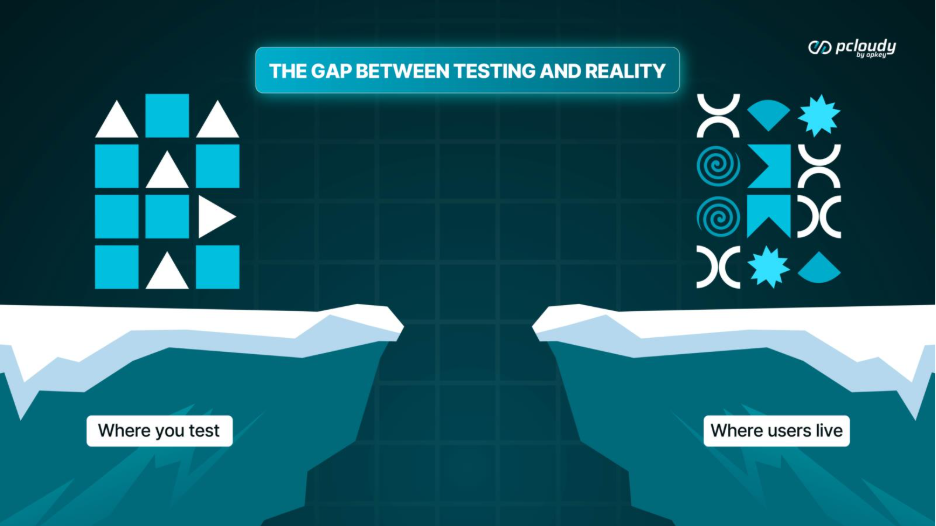
We’ve spent years watching this pattern repeat across hundreds of mobile teams. The specifics differ, but the outcome is always the same: tests pass, production fails, users find bugs the team never saw.
The gap takes three forms. And understanding which one affects your team is the first step to closing it.
TL;DR
Gap #1: The Emulator Gap
Emulators are convenient. They spin up instantly. They don’t need to charge. They don’t go missing. For rapid development iteration, they’re invaluable.
But emulators are fiction.
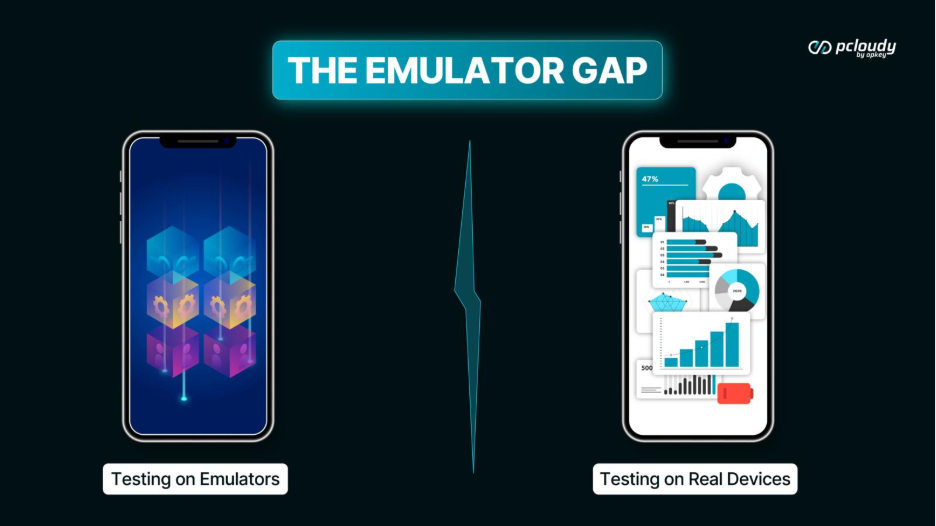
We analyzed production bugs across 50 mobile teams over a six-month period. The finding surprised us: 34% of device-specific bugs were invisible on emulators. These bugs passed emulator testing with flying colors, then failed on real hardware.
Read More: Real Device Cloud vs Emulator for Mobile App Testing – What Should You Use?
Why does this happen?
Memory behavior differs. Emulators typically run with generous, stable memory allocation. Whereas, Real devices compete for RAM with dozens of other apps, background services, and system processes. The memory pressure that causes your app to crash or lag simply doesn’t exist in emulators.
Thermal throttling doesn’t exist. When a real phone heats up during extended use, the CPU throttles to cool down. Performance degrades. Animations stutter. Your app behaves differently. Emulators run in climate-controlled server environments they never experience this.
OS background processes are absent. Real phones have notifications firing, apps refreshing, location services running, memory pressure mounting constantly. Emulators are clean rooms – artificially pristine environments that don’t reflect real-world conditions.
Hardware variations vanish. Different GPS chips behave differently. Camera sensors have quirks. Biometric hardware varies by manufacturer. Emulators abstract all of this away, presenting a standardized fiction.
Emulators test your logic. They don’t test your app in the real world.
We introduced speed as the first pillar of effective testing. And here’s what Speed requires at its most fundamental level: real devices, not simulations. You can’t have fast feedback on reality if you’re not testing in reality.
Gap #2: The Coverage Gap
Some teams have moved beyond emulators. They test on real devices, but only a handful. A typical local device lab has 8-15 phones. A collection of popular devices, maybe some older ones, probably an iPhone and a few Android variants.
This seems reasonable until you consider the math.
Android alone has over 24,000 distinct device models. Add iOS versions, screen sizes, RAM configurations, manufacturer-specific OS skins, and the combinations become effectively infinite.
Your 10 devices cover only a fraction of a percent of actual user diversity.

What hides in the coverage gap:
The Samsung model with an aggressive battery saver that kills your background sync — affecting 4% of your users. The Xiaomi device with a custom OS skin that renders your UI differently — affecting 8% of your users.
The 3-year-old phone with 2GB RAM that can’t handle your latest feature — affecting 12% of your users. The tablet aspect ratio that breaks your responsive layout — affecting 2% of your users. Each percentage point represents real users hitting real problems that your testing never revealed.
The coverage gap isn’t about negligence. It’s about the impossibility of owning enough devices. You can’t buy your way out of this gap. The economics don’t work. Managing 200+ local devices would be a full-time job for multiple people – charging, updating, tracking, maintaining, and so on.
You need an infrastructure that scales without the management overhead.
This is another dimension of Speed. Not just fast feedback, but scale – the ability to test on thousands of devices without the burden of owning and managing them.
Read More: List of Real Devices for Testing
Gap #3: The Visibility Gap
Some teams aren’t struggling with emulators versus real devices. They aren’t managing overflowing device drawers. They’re just not doing enough device testing. This is more common than people admit, and there’s no judgment in naming it. Device testing is hard to do well without the right infrastructure.

Why teams under-test on devices:
Device testing is slow and manual. Without automation, someone has to physically interact with each device for each test. At any meaningful scale, this becomes untenable. There’s no clear process or infrastructure. Teams know they should perform more device testing, but “more” is vague and the path isn’t clear. Scope creep happens.
“We’ll test on the main devices” becomes “we tested on one iPhone and my personal Android” becomes “we shipped and hoped for the best.” Device testing feels like a nice-to-have. Without clear visibility into the cost of not testing, it’s easy to deprioritize. Until it isn’t.
What happens in the visibility gap:
You ship without knowing how the app performs on mid-range devices. You ship without knowing whether the UI works across screen sizes. You ship without knowing if your app survives low-memory conditions. You ship without knowing what users with older devices experience. And the worst part is you only find out when users tell you. Or when app store ratings drop. Or when support tickets spike.
The visibility gap is the most dangerous of the three because you don’t know what you don’t know. At least emulator users see something — even if it’s incomplete. At least local device users test on some real hardware — even if coverage is limited.
The visibility gap is flying blind.
Previously, we had introduced insights as the third pillar — understanding what results actually mean. But here’s the truth: you can’t have Insights without visibility. And you can’t have visibility without testing infrastructure.
One Problem, Three Symptoms
These three gaps look different on the surface. Emulator users are testing in simulated environments. Local device users are testing on limited real hardware. Under-testers aren’t testing devices enough at all. But they’re all symptoms of the same underlying problem:
Testing doesn’t reflect reality.
And they all lead to the same outcome:
Bugs that reach production. Users who find problems. Teams who lose confidence.
The Framework for Closing the Gap
In our previous blogs we introduced three pillars: Speed, Intelligence, and Insights. And here’s how that framework applies to closing the gap:
SPEED — The Foundation
Real devices, instantly available. No queues. No infrastructure friction.
Without Speed, you’re stuck with emulators (fake conditions) or limited local devices (insufficient coverage). Speed means real devices at scale — thousands of devices, zero wait time, instant access.
Speed is the foundation everything else builds on. When devices are instantly available, device testing becomes practical. When device testing becomes practical, teams actually do it.
INTELLIGENCE — The Multiplier
Smart decisions about what to test. AI that prioritizes, selects, adapts.
Without Intelligence, you either test everything (too slow) or guess what to skip (too risky). Intelligence means running what matters for each specific change — precision instead of brute force.
We’ll go deep on Intelligence in Month 3. For now, understand that Intelligence needs a foundation to work on. That foundation is Speed.
Insights -The Clarity Layer
Understanding what results actually mean. Failures that explain themselves.
Without Insights, you have data but not answers. You know something failed, but not why, not on what device, not under what conditions, not what to do about it.
Insights turn testing from a checkbox into a learning system. We’ll connect Insights to complete testing (functional + performance + visual) later this month.
Closing the Gap Starts Now
The gap between testing and reality is not philosophical. It is operational. It appears when infrastructure slows teams down, when device access becomes a bottleneck, and when results create more questions than answers. But when Speed becomes the foundation, Intelligence becomes the multiplier, and Insights become the clarity layer, testing shifts from scattered effort to a deliberately designed system. Coverage becomes intentional. Confidence becomes measurable. Releases become predictable.
Over the next few weeks, we are going deep into Speed in three dimensions:
- Device Cloud, where 3,000 plus real devices, zero queue time, and instant access redefine what infrastructure should look like;
- Speed Without Compromise, where Private Cloud and Lab in a Box bring the same instant access to regulated industries without sacrificing governance or security; and
- Speed plus Insights, where functional, performance, and visual testing run together on real devices to deliver clarity, not just results.
The gap is collapsible. Speed is how it starts. And we are about to show you how to close it.
Stay Tuned!
Read More:
- Top 10 Vibe Testing Tools
- Mobile App Testing: What It Is, How It Works, and Types
- Why Test Results No Longer Inspire Confidence and How to Rebuild Trust
- The Maturity Leap: What Separates Good Testing Orgs from Great Ones
- Why is Testing Always a Blocker and How to Change That?
- Battery Drain Testing for Mobile Apps: The Complete QA Guide