
Last updated on : 21 Jan 2025
Asana
Overview
This documentation provides step-by-step instructions for integrating Pcloudy with Asana. The integration allows you to seamlessly capture and report bugs from Pcloudy to your Asana workspace.
Prerequisites
Registered Pcloudy account with any paid License.
Integration Steps
1. Login to the pCloudy Platform
Open your web browser and navigate to the pCloudy platform. Log in to your pCloudy account.
2. Access Integration Section
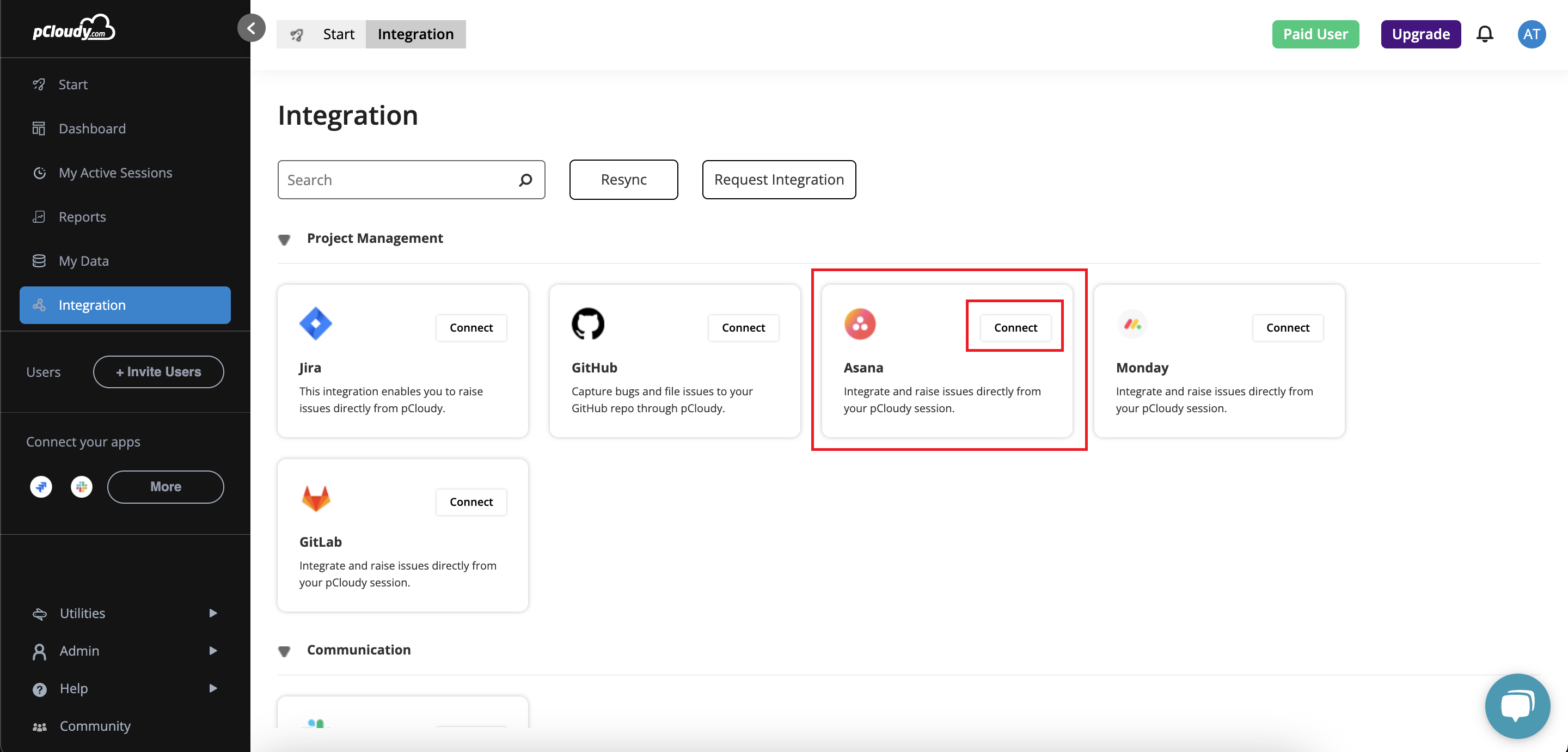
Once logged in, locate the "Integration" section on the pCloudy platform or find the Asana icon in the "Connect your Apps" section.
3. Connect to Asana
Click on the Asana icon and follow the prompts to connect pCloudy with your Asana workspace & Connect your Same account you used to login to pcloudy.
4. Grant Permissions
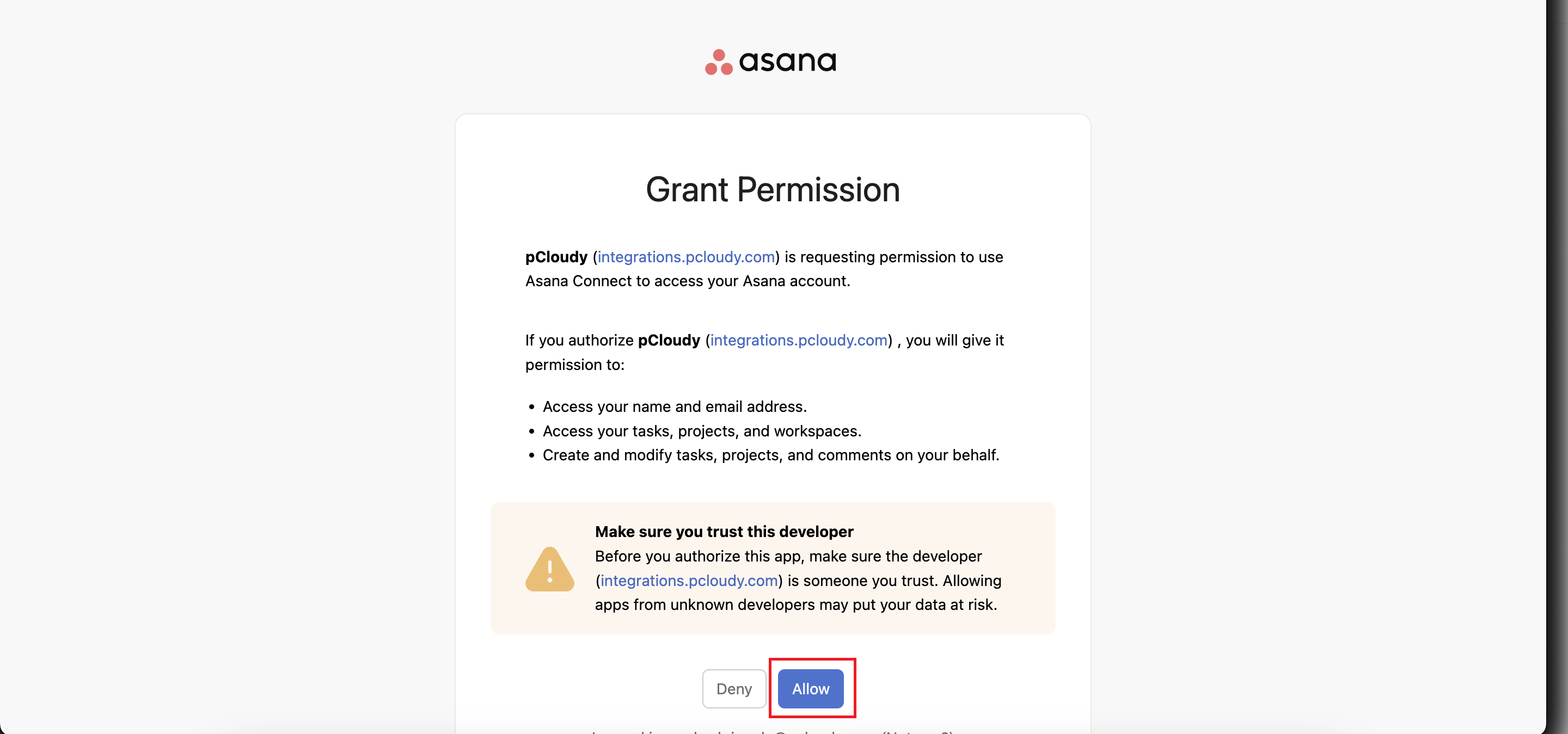
You will be redirected to the permissions page in Asana. Select "Allow" to grant the necessary permissions for the integration.
5. Success Notification
After granting permissions, you will receive a success notification on the pCloudy platform.
6. Navigate to Start Page
Return to the pCloudy start page.
7. Connect to Devices
Connect to any available devices from the pCloudy platform.
8. Capture Screenshots
Click on the "Screenshot" option to capture a 1x1 pixel screenshot of the device screen.
9. Edit and Highlight Bugs
Use the pen tool to edit the screenshot and highlight any bugs or issues.
10. Mark as Bug and Select Asana
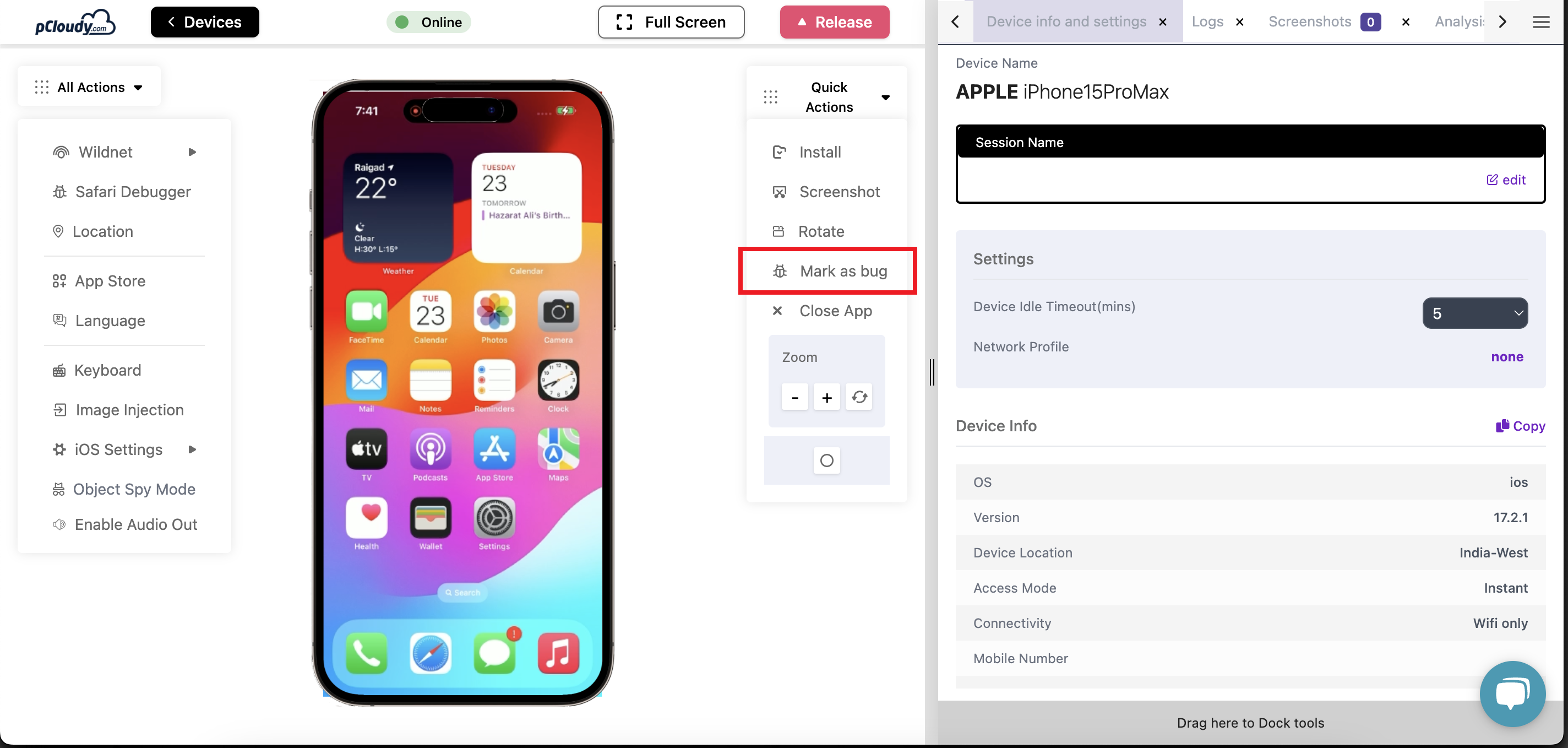
Click on "Mark as bug" and select "Asana" as the reporting channel.
 /
/
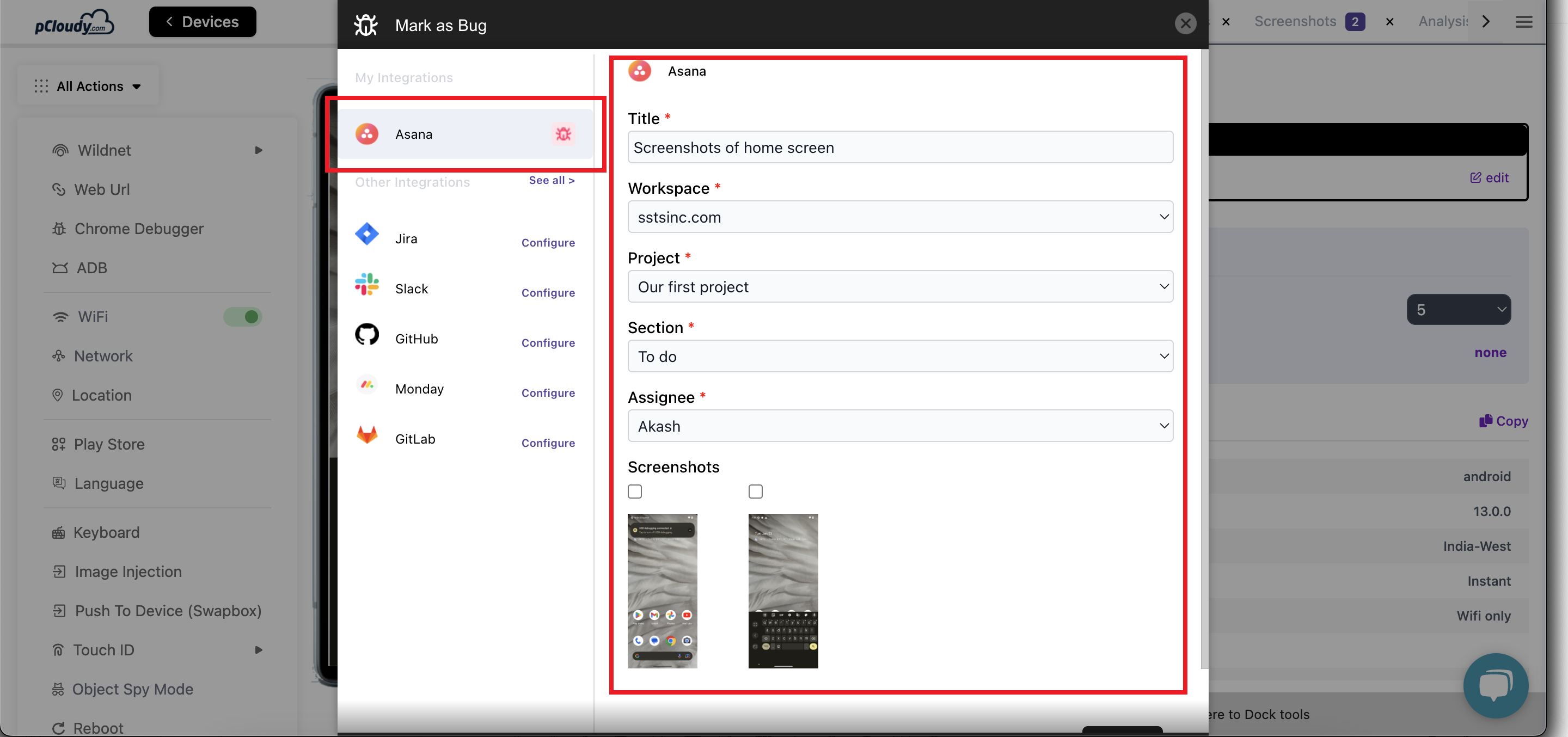
11. Write Bug Message
Write a descriptive bug message detailing the issue.
12. Attach Screenshots
Attach the edited screenshots to the bug report.
13. Send to Asana Tasks
Send the bug report to your Asana tasks or colleagues listed in your workspace.
 /
/
Congratulations! You have successfully integrated Pcloudy with Asana. This integration streamlines the bug reporting process, allowing you to capture, edit, and report bugs directly from the Pcloudy platform to your Asana workspace.
Did this page help you?