

It seems like the AI era is already here, with AI apps infiltrating almost all aspects of business and our daily lives. Did you know that by the year 2027, NVIDIA is estimated to deliver 1.5 million AI server units per year? Naturally, the need for AI powered app testing for these applications will continue to rise. In this post, we’ll take a detailed look at how to test AI apps along with other relevant factors. Let’s dive right in.
Table of Contents
What is AI Powered App Testing?
AI powered app testing is the process of using ML and AI to improve efficiency, accuracy, and speed of mobile, desktop, and web applications. It uses algorithms capable of analyzing data and learning patterns to make intelligent decisions without completely relying on human oversight throughout the STLC.
Importance of AI Mobile App Testing
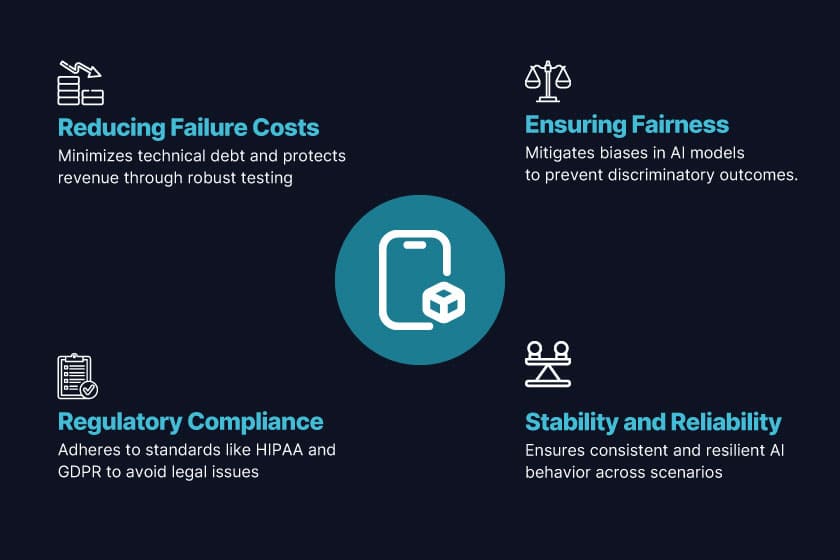
AI-powered app testing for AI components within apps comes with an additional layer of complexity compared to testing just deterministic and rule-based systems. While we still have to perform core QA activities like reporting function errors, validating data flows, and checking UI behavior, testing AI systems also calls for evaluating system behavior in contextual scenarios and unpredictable conditions. Some core reasons why it’s important to test AI-powered mobile apps include:
- Ensuring Fairness by Mitigating Bias
The training data of AI systems inherently contains biases. Leaving out behavioural, linguistic, demographic, or geographic biases untested can lead to discriminatory outcomes that can make applications vulnerable to various reputational risks. Fairness and bias testing help in the early elimination of such disparities by conducting an in-depth analysis of model outputs across a variety of attributes.
- Stability and Reliability
By nature, AI models tend to be probabilistic. In other words, outputs are highly dependent on the context or input. Testing helps ensure that AI models are able to deliver behavior that is resilient to context, repeatable, and stable across different edge cases.
- Regulatory Compliance
The risk of accidentally compromising regulatory compliance is higher in AI-powered mobile apps compared to traditional ones. Therefore, businesses need to be extra careful with their testing and walkthroughs so that their applications adhere to HIPAA, GDPR, or other regulatory compliance standards to avoid any legal or reputational troubles in the future.
- Reducing Failure-Induced Costs
We already know that trying to fix any errors afterward instead of avoiding them in the first place incurs additional costs, and the risk of such induced costs further increases for AI applications. Having a robust AI-powered app testing strategy reduces technical debt and helps in protecting company revenue for the long haul.
Also Read: 7 Proven Benefits of AI App Testing and Real-Time Examples
Key Factors to Consider While Testing AI Applications
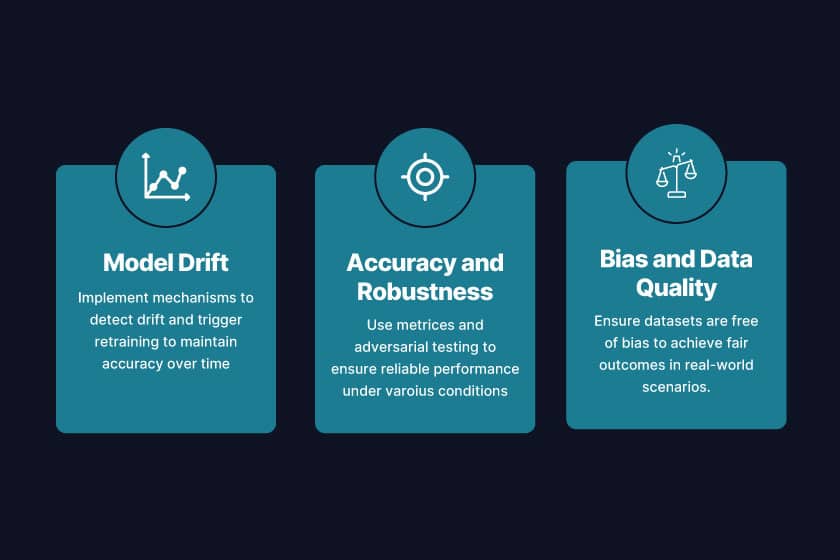
Since testing AI applications is a whole different game as compared to traditional testing, QA teams should consider some parameters to ensure long-term reliability, fairness, and accuracy for their software products. Some of those key factors include:
- Model Drift
Due to shifts in data patterns, the effectiveness of AI models can shift over time. When this phenomenon occurs, it’s called a model drift. Therefore, a testing cycle should always include mechanisms to detect drift and trigger retraining, while also performing live monitoring in case of declining accuracy.
- Accuracy and Robustness
QA should always take metrics such as error rates, recall, and accuracy into account when measuring performance, since AI-produced outcomes aren’t always fixed. Testers should also use adversarial, unexpected, and noisy inputs to check the reliability of model behavior under different real-world conditions.
- Bias and Data Quality
Training data is the foundation of all AI models. Therefore, in the presence of biased, incomplete, or unbalanced data, the results an application produces are likely to be quite skewed. As long as testers ensure that the datasets are free of systemic bias, using applications in real-world scenarios would lead to fair outcomes.
AI Mobile Testing: What to Test?
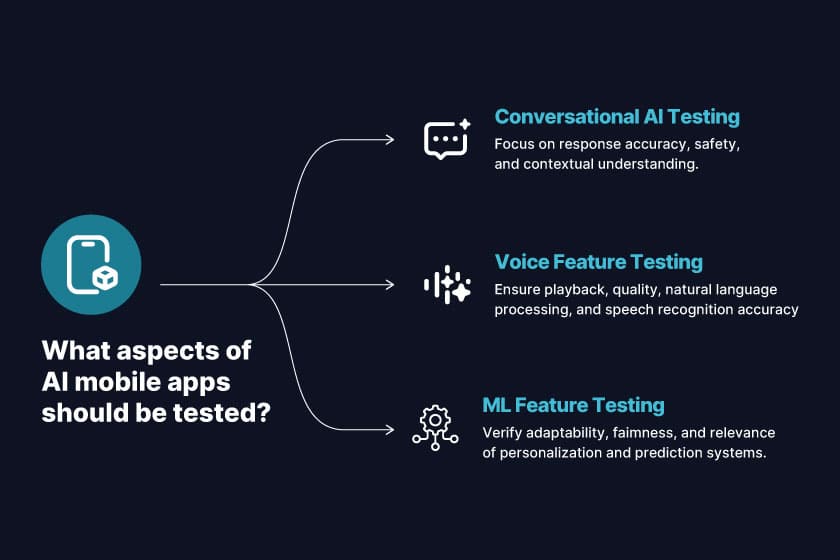
Before we move on to how to test AI apps, let’s check out the ‘what’ first, in detail. Testing AI-powered mobile apps involves more than just testing for functionality and UI flows. Three of the most critical areas to cover include testing conversational AI such as ChatGPT, voice, and Machine Learning features. Let’s dive into this section.
Read More: Agent to Agent Testing Platform
LLM App Testing: Testing Conversational AI (Like ChatGPT)
It’s crucial to test conversational AI apps for their response accuracy, safety, and contextual understanding. The chatbot should be capable of maintaining the conversation’s context while maintaining a continuous sense of human intent. The responses should never be biased or harmful. It’s also equally important to assess performance under load, such as handling concurrent chats and integrations with push notifications, chat screens, or other mobile user interfaces.
Testing Voice Features (TTS, Speech-to-Text, Assistants)
Besides being an advancement, voice-driven apps are a cornerstone for better accessibility across the globe. Whether we’re talking about dictation tools or weather assistance, they need validation across playback quality, natural language processing, and speech recognition.
Testing such features should always cater to a diverse set of environments, common languages, and accents for consistency and accuracy. It’s important to review how natural the voice output is for text-to-speech factors such as tone and pronunciation. The cherry on top for a seamless experience is integration with various mobile hardware, such as Bluetooth, speakers, and mics.
Testing ML Features (Personalization, Recommendations, Predictions)
Personalization engines, predictive text applications, and recommendation systems are some of the most popular ML-powered applications that must undergo rigorous testing for adaptability, fairness, and relevance. Testers should always verify the alignment of predictions with user behavior, their adaptability to changes in user data, and the prevention of bias. Since accuracy over time can decrease due to model drift, continuous monitoring becomes essential. Therefore, testing for performance under large-scale data loads makes for a smooth UX despite the application scaling.
Industry Vertices: BFSI App Testing Solutions
How to Test AI Apps
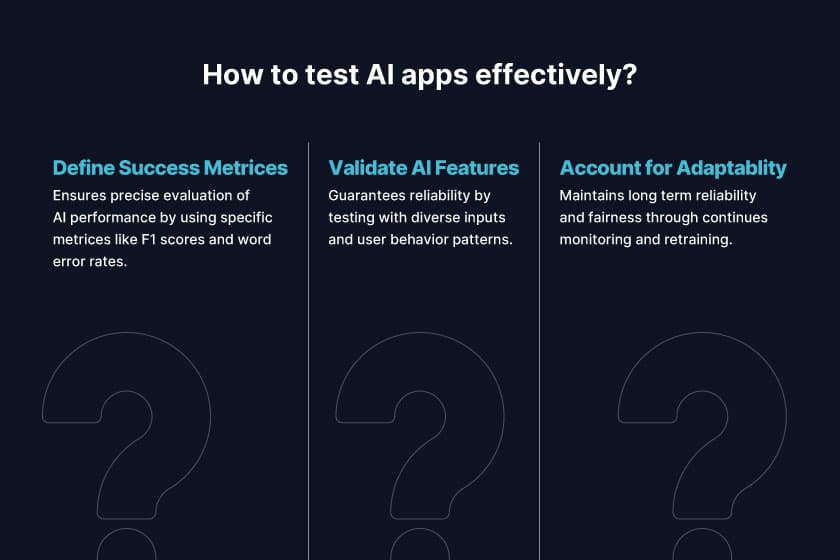
Traditional testing mostly revolves around validating screens and buttons. However, when you are working with AI-powered mobile applications, things tend to go beyond these scenarios since it’s crucial to measure how well the backend intelligence of the application fares in various real-world scenarios. AI-powered app testing should adapt to all kinds of challenges of an app, whether it uses machine learning for predictions and personalizations, voice technology for TTS or speech recognition, or large language models. Let’s take a detailed look at how to test AI apps.
- Define Success Metrics
The first step regarding how to test AI apps involves clearly defining success metrics instead of depending on fail or pass outcomes. For instance, you can evaluate conversational AI with great precision and detect recall of intent, use F1 scores for predicting the accuracy of ML predictions, and voice features such as word error rates and playback naturalness.
- Validating AI Features with Representative and Diverse Inputs
The second step, as to how to test AI apps is all about validating a variety of AI features with representative and diverse inputs. QA should test chatbots with multi-tone queries, typos, slang, and background noise, whatever user behavior patterns may exist. This ensures the reliable working of AI for different kinds of users and not only under ideal conditions.
- Accounting for Adaptability, Fairness, and Reliability
Long-term reliability, adaptability, and fairness are the cornerstones of how to test AI apps. Monitoring live results, checking the fairness of responses or predictions across demographics, and retraining wherever necessary. Integration testing can turn out to be quite critical since QA should verify that not only is the AI able to produce accurate outcomes, but it is also able to seamlessly work with end systems, APIs, and mobile UIs.
Also Check Out: How to Generate Test Cases with AI in 2025
Top Rated AI Tools for Mobile App Testing
AI-powered tools are essential for modern mobile app testing, enabling QA teams to reduce manual effort, improve accuracy, and accelerate release cycles. Here are some top choices:
- Pcloudy
This robust, AI-driven platform facilitates large-scale testing across various real devices, operating systems, and networks. Pcloudy AI testing empowers QA engineers to quickly identify issues and maintain test stability through features such as self-healing test automation, AI-powered analytics, AI-powered visual regression testing, and predictive defect detection. Its cloud-based device lab also offers faster execution and lower infrastructure costs.
- Selenium
Selenium, a widely used automation framework, becomes even more effective for mobile app testing when integrated with Pcloudy. This allows QA teams to run Selenium test scripts directly on Pcloudy’s real device cloud, combining Selenium’s flexibility with Pcloudy’s scalable infrastructure. The integration simplifies cross-browser and cross-device testing, ensuring seamless app performance across diverse environments.
- Applitools
Specializing in AI-powered visual testing, Applitools is ideal for mobile apps where UI consistency and design are paramount. Its Visual AI engine automatically detects layout issues, color mismatches, or broken elements that traditional automation might miss. By focusing on user experience validation, Applitools enhances functional testing and ensures a polished, high-quality look and feel across all devices.
Also Read: 15 Best AI Tools for Mobile App Testing in 2025
AI App Testing Best Practices
It takes some adaptability and rigor to conduct AI-powered app testing. Here are some AI app testing best practices to keep in mind to maximize the benefits of testing AI-powered applications.
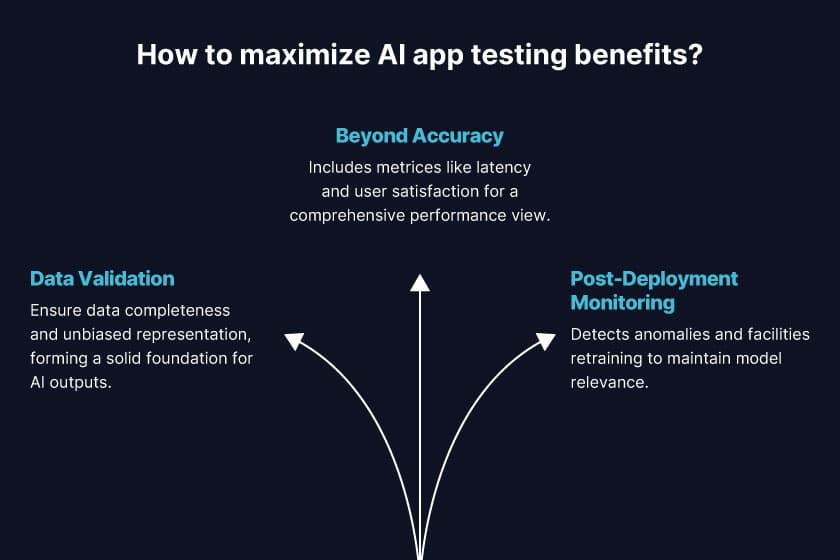
- Data Validation
Before moving on to testing features, QA teams should ensure the completeness of the underlying training data, as well as make sure that it represents your target audience and is unbiased. After all, good data is what builds a solid foundation for reliable artificial intelligence outputs.
- Go Beyond Accuracy
Instead of just tracking technical correctness, it’s important for QA teams to include metrics for latency, user satisfaction, explainability, and fairness. This helps obtain a complete picture of app performance in different scenarios.
- Post-Deployment Monitoring
As we already know, AI models tend to evolve as time passes. Set up feedback and monitoring loops to detect anomalies, catch drift, and retrain as per requirements.
Future of Testing AI Applications
From what it looks like, autonomous QA systems and self-adaptive frameworks seem to be where the future of AI app testing is headed. Self-healing automation tests, testing with the human in the loop, and explainable AI testing tools are estimated to rise in popularity in the coming years.
We might also witness domain-specific AI testing models tailored for retail, finance, healthcare, and other industries that have unique compliance requirements. The shift towards continuous AI validation pipelines is likely to increase the reliability and adaptability of apps once integrated into CI/CD pipelines.
Conclusion
Testing AI apps is no longer optional — it’s essential for fairness, compliance, and user trust. Teams that adopt AI-powered testing can catch bias, adapt to drift, and validate at scale. Tools like Pcloudy’s QPilot.AI, QHeal, and QLens show how intelligent automation can make AI app QA faster and more reliable. If you’re ready to see this in action, explore Pcloudy’s AI testing platform today.
FAQs on AI-Powered Mobile Apps
How is testing AI apps different from testing traditional apps?
Traditional apps have deterministic outputs, such as right or wrong. AI apps produce probabilistic outputs, so testers focus on metrics such as accuracy, fairness, and robustness, rather than simple pass or fail checks.
What are the biggest challenges in AI app testing?
The main challenges include handling data bias, ensuring model explainability, testing under unpredictable inputs, and monitoring model drift after deployment.
Can AI itself be used to test AI apps?
Yes. AI-powered testing tools can generate test cases, perform visual validation, and even detect anomalies in outputs, making them valuable for AI app QA pipelines.
Read More
- AI-Powered Test Automation: Ship Apps 3x Faster
- 15 Best AI Tools for Mobile App Testing in 2025
- Mobile App Testing: What It Is, How It Works, and Types
- Effective use Artificial Intelligence in App Testing
- What is AI Testing? A Comprehensive Guide
- AI-Powered Visual Regression Testing | Pixel-Perfect QA
- How to Start AI Testing: Complete Beginner’s Roadmap
- 7 Key Benefits of AI App Testing with Real-World Examples
- How to Generate Test Cases with AI in 2025


 R Dinakar







