Visual Regression Testing
AI-Powered Visual Testing on
Real Devices & Browsers
Run automated visual regression testing across 5,000+ real devices and 3,000+ browser combos. Detect layout shifts, font changes & color mismatches with AI-powered pixel comparison — no emulators, no false positives.
Watch Pcloudy's
Visual Testing
in Action




















Why Visual QA Testing Matters
Manual visual checks miss subtle regressions. Pcloudy's automated visual testing tools catch every pixel-level change at scale — on real devices, not emulators.
How Visual Regression Testing Works
From screenshot capture to regression detection — fully automated in four steps.
Capture Screenshots
Capture full-page screenshots across your target real devices, browsers, and viewports in parallel.
Compare with Baseline
Our AI diff engine runs automated visual regression testing against versioned baselines, detecting pixel-level differences instantly.
Review & Approve
Visual diff reports highlight UI regressions. Approve changes to update baselines or flag bugs for your team.
Integrate & Automate
Connect to your CI/CD pipeline. Visual tests run on every commit, blocking merges with regressions automatically.
Automated Visual Testing Capabilities
Everything you need for pixel-perfect visual QA testing across every device and browser — powered by AI.
Full-Page Screenshot Capture
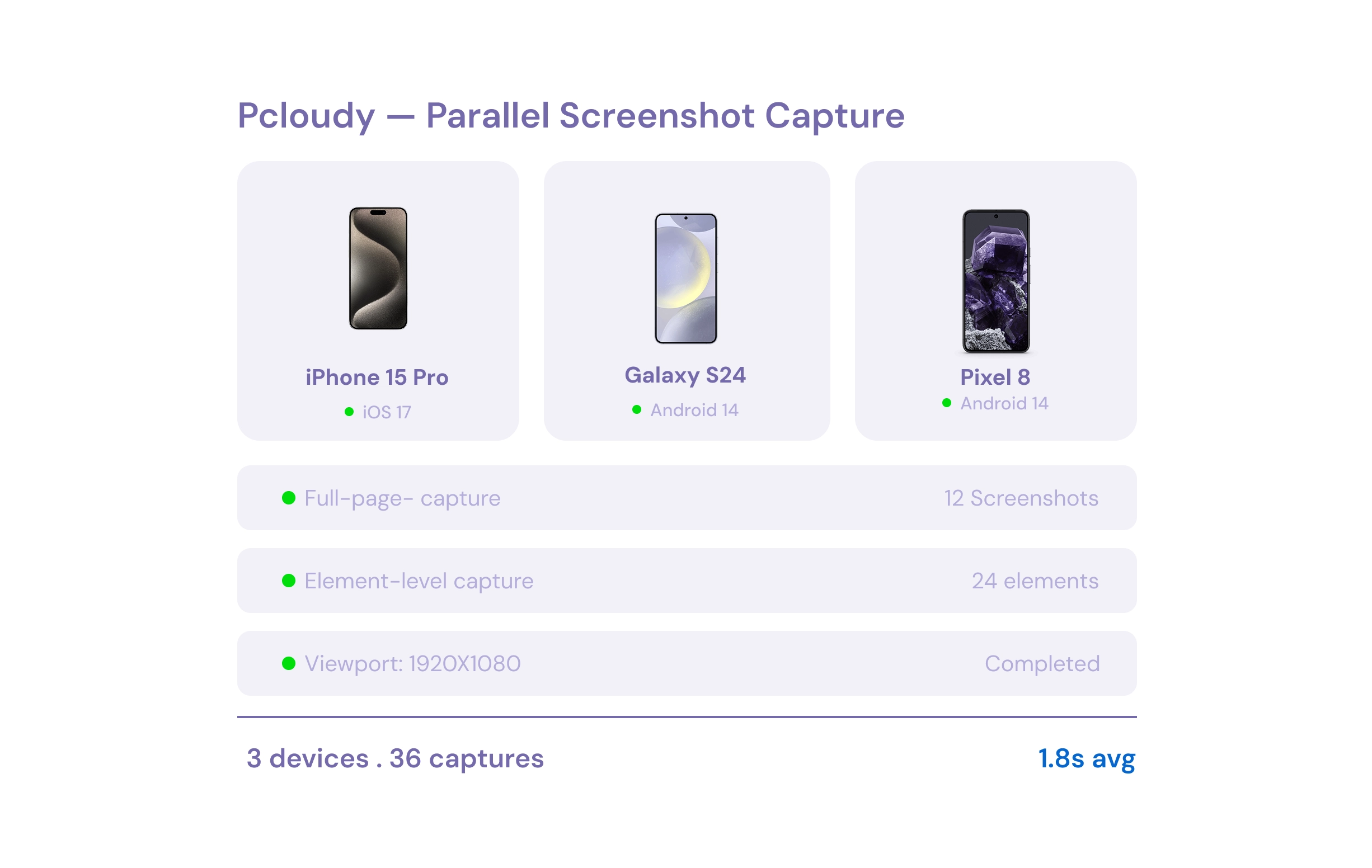
Automated full-page and element-level screenshots across real devices and browsers simultaneously. Capture every viewport in parallel — no manual work required.
Pixel-Level Diff & Comparison
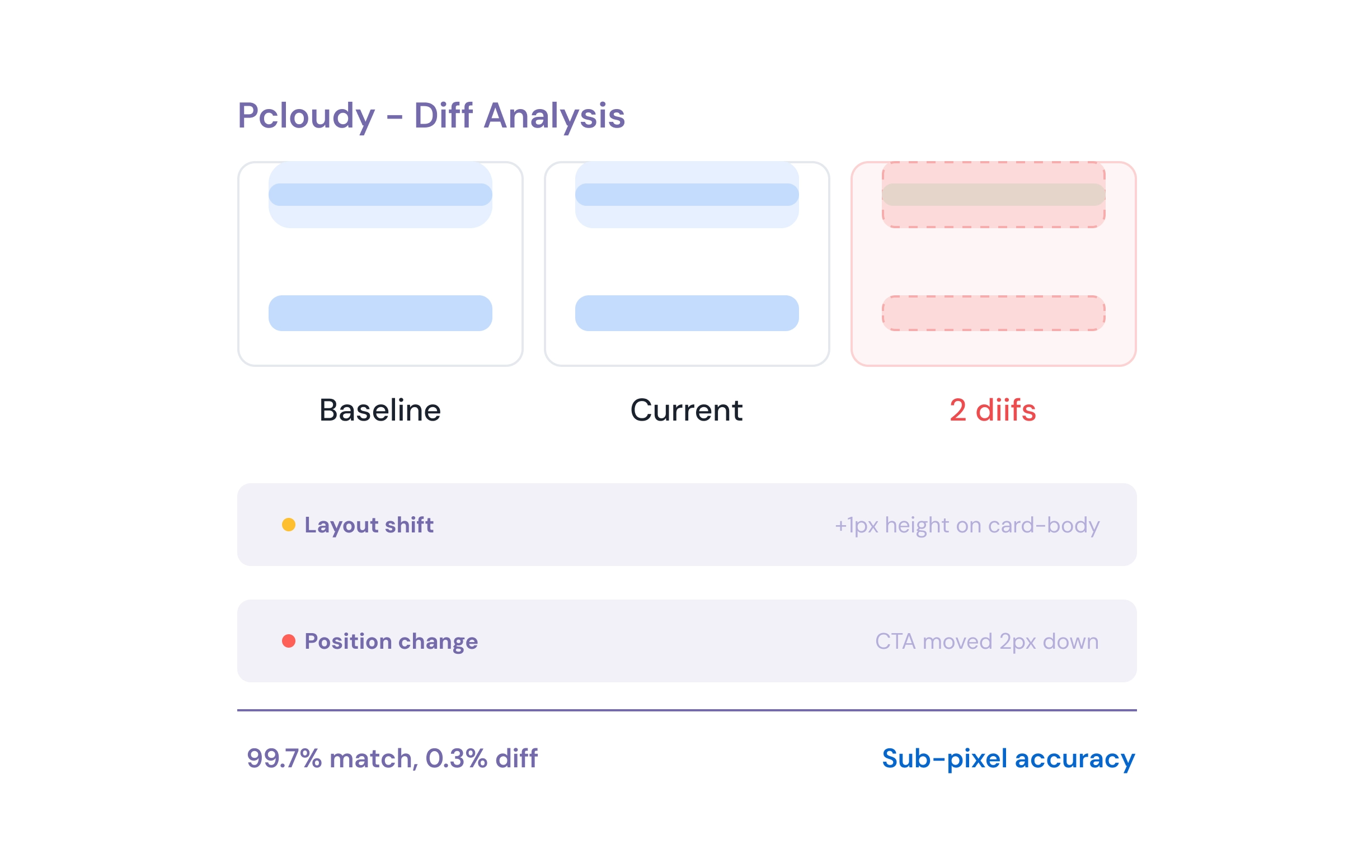
Detect layout shifts, font rendering differences, and color mismatches with sub-pixel accuracy. Compare with side-by-side, overlay, and diff highlight modes.
Smart Baseline Management
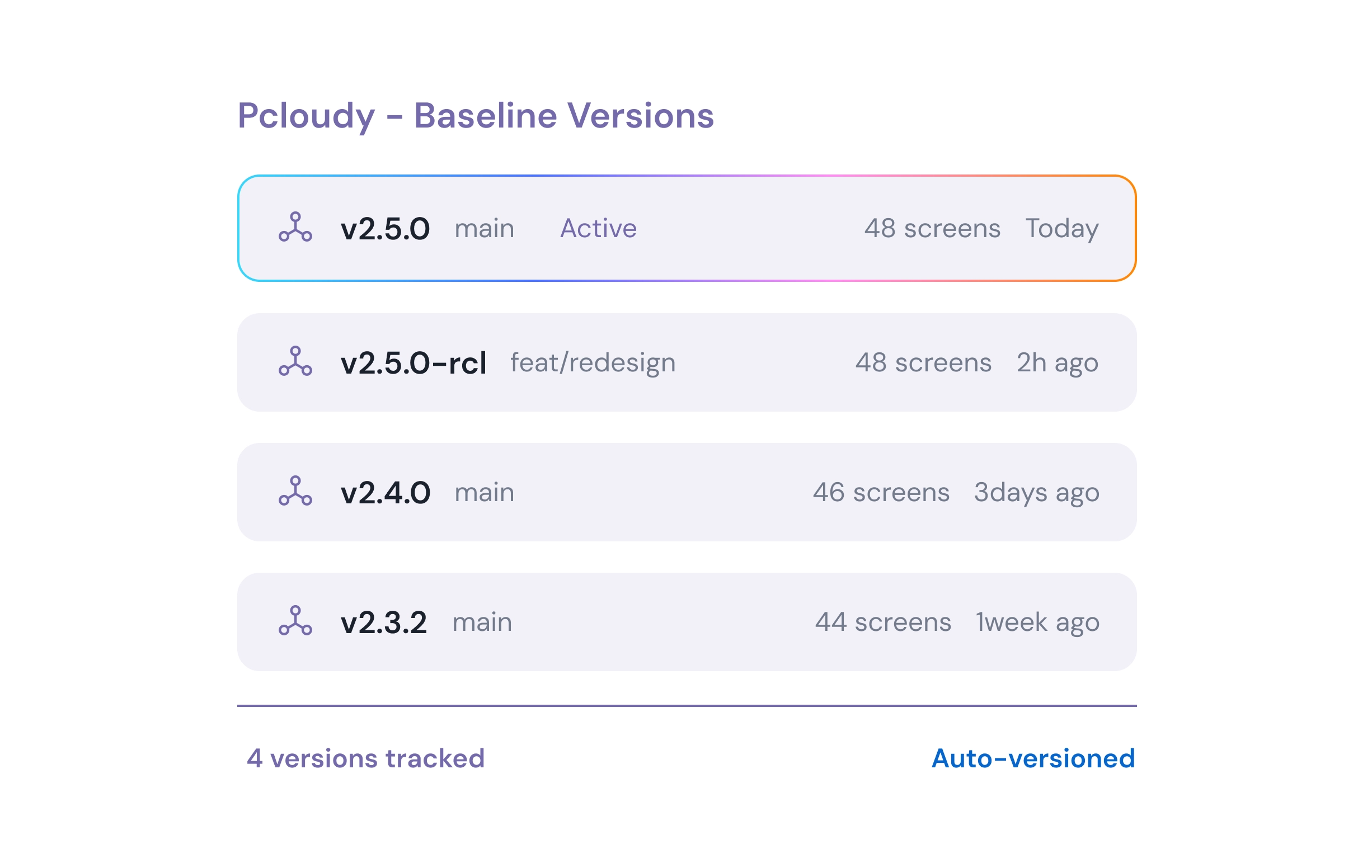
Version-controlled baselines with automatic approval workflows and branch-aware comparisons. Every baseline is tied to your Git history for full traceability.
Responsive & Design System Testing
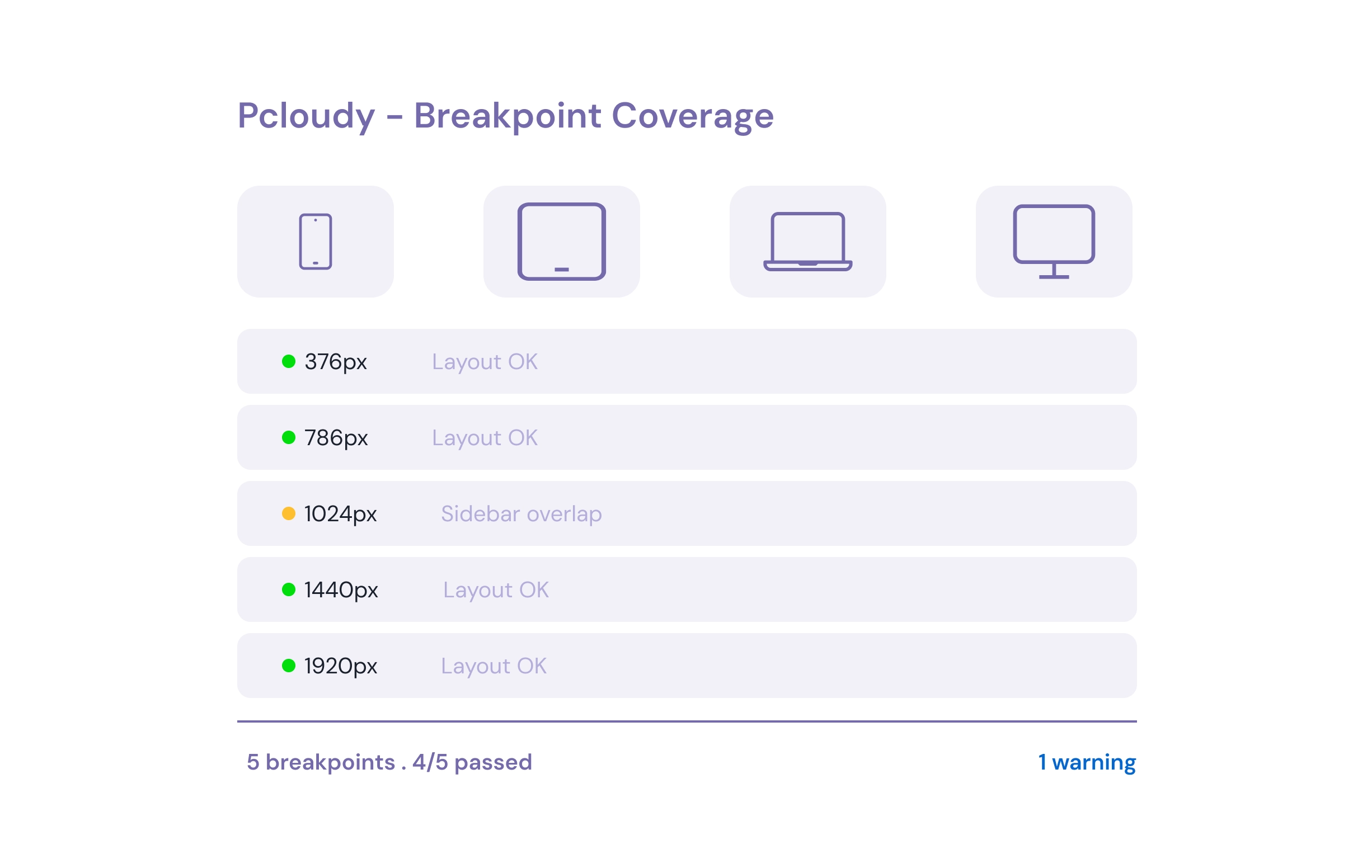
Cross-device visual testing across mobile, tablet, and desktop viewports — validate every breakpoint and design token automatically in a single test run.
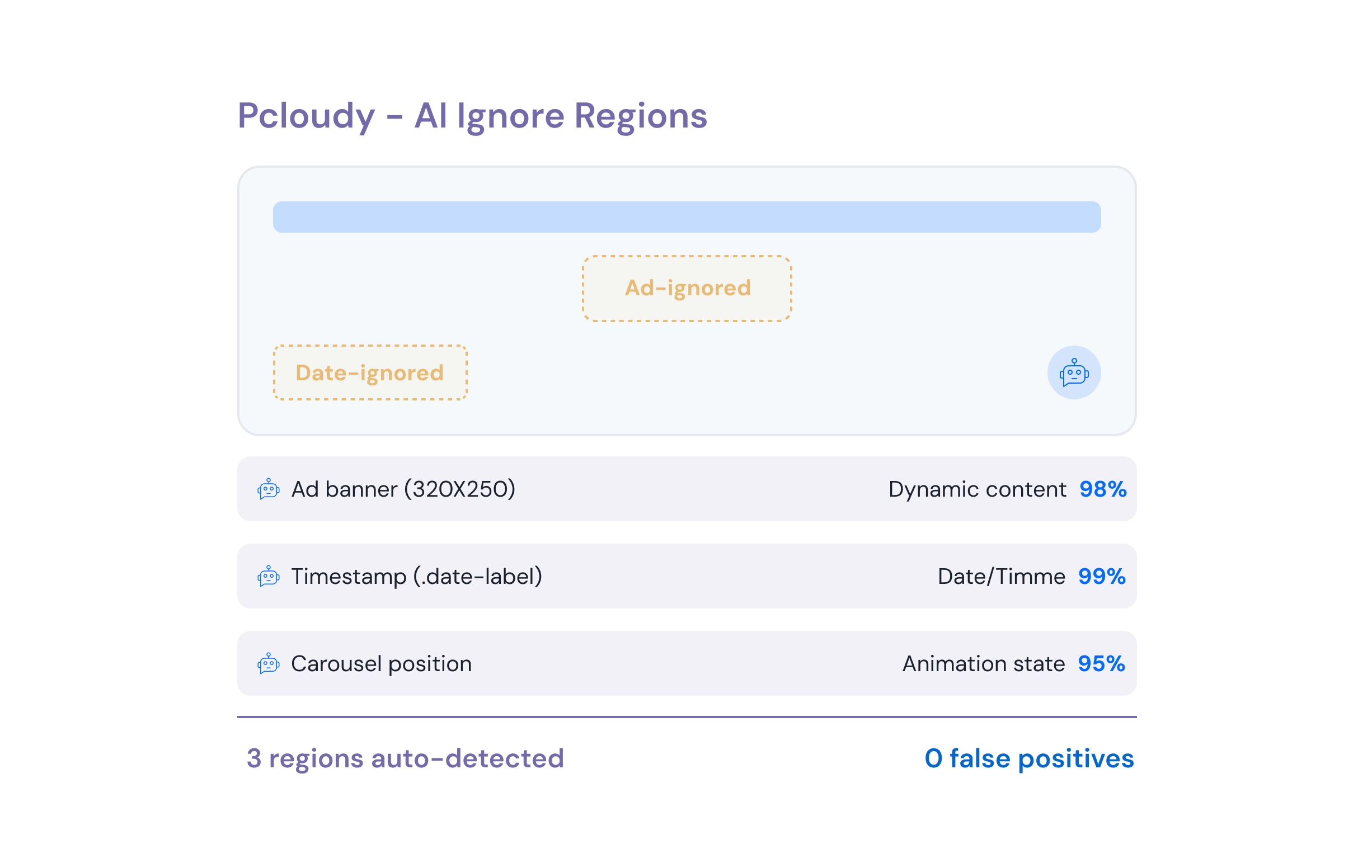
AI-Powered Ignore Regions
AI visual testing automatically detects dynamic content (ads, dates, animations) and excludes them from comparisons — zero false positives, zero manual config.
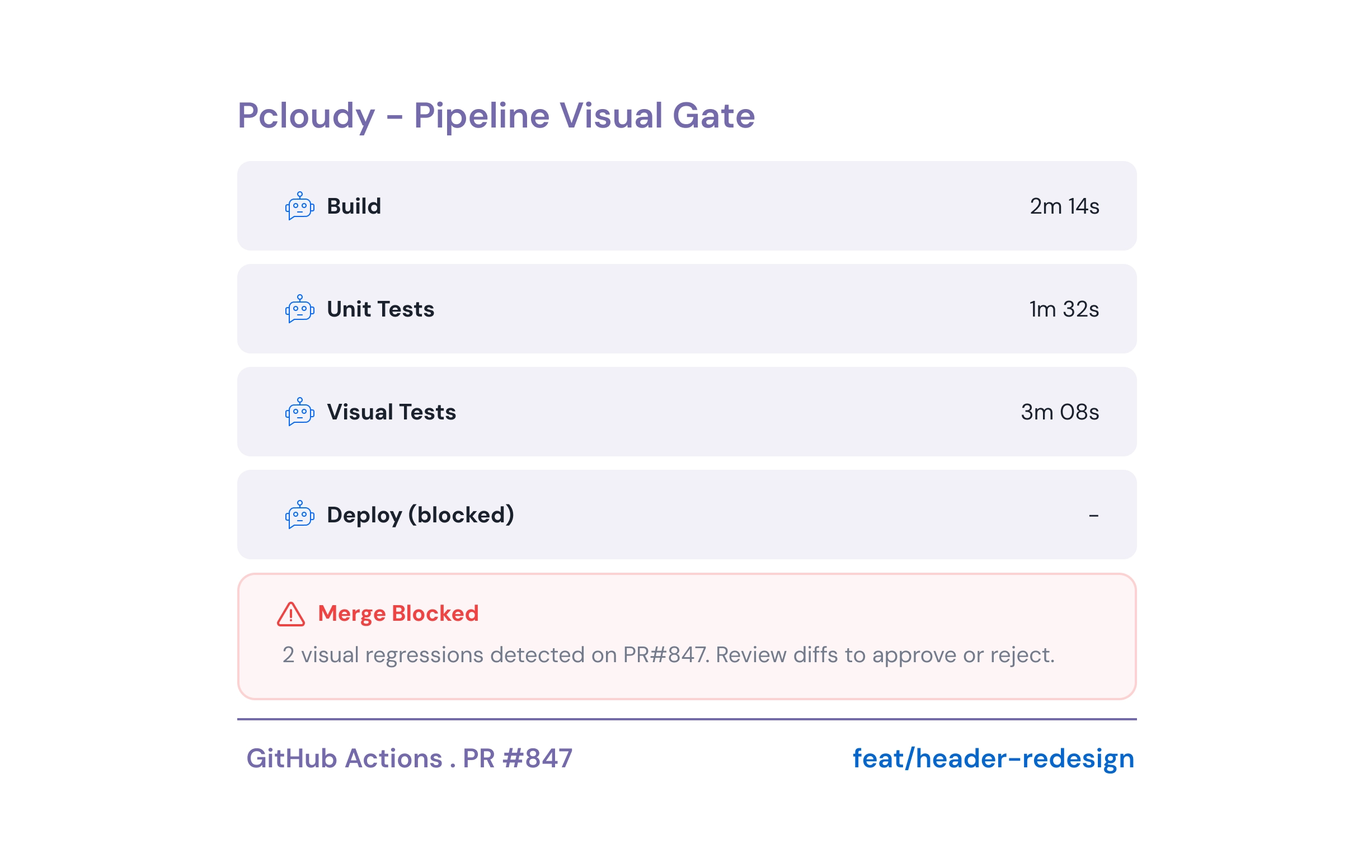
CI/CD Integration
Trigger automated visual regression testing on every PR. Block merges when regressions exceed your threshold — visual quality gates built into your pipeline.
See Visual Testing on Real Devices in Action
Watch how teams run AI-powered visual regression testing across 5,000+ real devices — catching every pixel-level diff before release.
Visual Testing Use Cases
From mobile apps to design systems — automated visual testing fits every QA workflow across devices, browsers, and teams.
Mobile Visual Regression Testing
Catch unintended visual changes on real Android & iOS devices before every release with automated screenshot comparisons.
Responsive Design QA
Validate layouts across mobile, tablet, and desktop viewports — cross-device visual testing in a single test run.
Cross-Browser Consistency
Ensure your UI renders identically on Chrome, Firefox, Safari, Edge and more with automated visual testing.
Design System Audits
Verify design token compliance — colors, spacing, typography — across all components with visual QA testing.
PR Review Automation
Visual diff reports are auto-attached to pull requests for faster design reviews — UI regression testing tools built into your workflow.
Compliance & Branding
Ensure brand consistency across regions, locales, and white-label deployments with visual testing for mobile apps and web.
Visual Test Reports & Analytics
Get detailed visual test reports with pass/fail trends, diff heatmaps, and flakiness scores to track UI stability over time.
Component-Level Testing
Isolate and test individual UI components in Storybook or standalone — catch regressions at the component level before they reach production.
Localization & i18n Testing
Validate visual layouts across languages and locales — catch text overflow, RTL issues, and font rendering differences automatically.
Pcloudy vs. Other UI Regression Testing Tools
See why leading teams choose Pcloudy for automated visual regression testing over screenshot-only alternatives.
| Feature | Pcloudy | Manual QA | Screenshot-Only Tools |
|---|---|---|---|
| Pixel-Level Accuracy | Partial | ||
| Visual Testing on Real Devices | |||
| 5,000+ Devices & 3,000+ Browsers | |||
| AI-Powered Ignore Regions | |||
| Cross-Device Visual Testing | Partial | ||
| CI/CD Integration | |||
| Baseline Versioning | Partial | ||
| Mobile Visual Regression Testing | Partial | Partial |
Works with Your Test Framework
Integrate automated visual testing into your existing automation suite — zero migration required.



Results Teams See with Pcloudy Visual Testing
Average outcomes reported by teams after adopting automated visual regression testing.
Visual Testing FAQ
Visual regression testing is the process of automatically capturing screenshots of your application and comparing them against approved baselines to detect unintended UI changes — such as layout shifts, font rendering issues, and color mismatches. Pcloudy automates this across 5,000+ real devices.
Functional testing validates that features work correctly (e.g., form submission, navigation). Visual testing ensures the UI looks correct — catching CSS regressions, broken layouts, and design inconsistencies that functional tests miss.
Real devices render fonts, colors, and layouts differently than emulators. Pcloudy runs visual tests on real physical devices and real browsers — ensuring your screenshots reflect exactly what your users see.
Yes. Pcloudy integrates with Jenkins, GitHub Actions, GitLab CI, CircleCI, and more. Automated visual regression testing runs on every commit or pull request, blocking merges when regressions are detected.
Pcloudy's AI visual testing automatically detects dynamic content areas like ads, timestamps, and animations, and excludes them from comparisons — reducing false positives without manual configuration.
Capture screenshots across real Android & iOS devices, compare against baselines, and review diffs. Integrate with Appium, Espresso, or XCUITest to add visual assertions to your existing mobile test suite.
Pcloudy supports Selenium, Cypress, Playwright, Appium, Espresso, XCUITest, WebdriverIO, TestCafe, and more. Add visual testing capabilities to your existing automation framework with just a few lines of code.
Trusted by security-first teams






Stop Guessing.Start Measuring.
Mobile app performance testing on real devices — track 60+ metrics for CPU, memory, battery, network, and frame rates. AI powered app performance testing that catches regressions before your users feel them.
Request a Demo
SSL Secured | GDPR Compliant | No Spam
By submitting this form, you agree to our Privacy Policy.
Trusted by 2000+ enterprises
Perfect Your App's Digital Experience with Pcloudy
Your 30 minutes demo includes:
-
Commitment free consultation on your top testing challenges

-
Live demo of our functional & app performance testing

-
Get a practical implementation plan with clear ROI milestones

-
Expert guidance on using AI to transform your testing efficiency

Trusted by global leaders