
Users never experience software in isolated testing categories.
No user opens an app and consciously separates functionality from performance, compatibility from accessibility, or visual design from network resilience. They simply interact with the product. And within moments, often less than 30 seconds, they form a judgment about whether the experience feels reliable, trustworthy, and worth continuing.
TL;DR
That judgment is built from multiple signals arriving simultaneously.
- Does the app work the way they expect?
- Does it behave correctly on their specific device?
- Does the interface render properly on their screen?
- Does it respond quickly enough?
- Does it continue functioning under unstable network conditions?
- Do the services behind the application respond consistently?
- Can every user successfully interact with it regardless of ability or device limitations?
These are not separate user experiences. They are one experience.
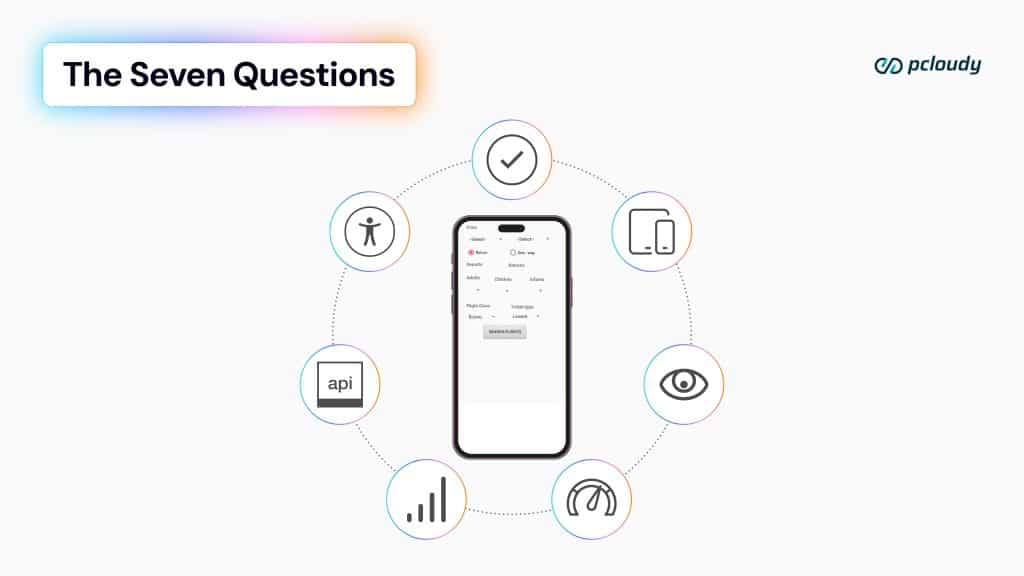
Yet most testing strategies still treat them as disconnected disciplines with fragmented tooling, fragmented environments, and fragmented ownership. Teams optimize passing test suites while users continue encountering broken experiences in production. The gap between “tests passed” and “software works” has never been more visible.
Test on real devices. Ship with confidence.
Modern quality engineering requires a different mindset. Not a collection of testing practices operating independently, but a unified quality foundation capable of validating every dimension of user experience under the same real world conditions users actually encounter.
Read More: Why Real Device Cloud Is the Foundation of Modern QA
Because quality is not measured by the number of tests executed. Quality is measured by the consistency of trust users feel when interacting with the product.
The Experience Layer
The first layer of quality is the experience layer. This is the baseline threshold every application must cross before users are willing to trust anything else about the product.
Functional testing sits at the center of this layer. At its simplest level, it answers whether the application does what it was designed to do. Can users log in successfully? Can they complete a checkout? Can they submit forms, upload files, save changes, and navigate critical workflows?
But functionality is no longer universal across environments.
A login flow that works flawlessly on a flagship device can silently fail on a mid-range Android phone running a manufacturer’s modified operating system. A payment workflow validated successfully on the latest iPhone may hang indefinitely on older versions of iOS that still represent a meaningful percentage of active users.
Read More: Real Device Cloud for Testing
These are not edge cases anymore. They are production realities.
Traditional emulator-driven testing approaches structurally miss these failures because emulators simplify the very variables where modern defects emerge. They abstract hardware level constraints, OEM customizations, memory pressure behaviors, thermal conditions, and carrier specific OS modifications that influence how applications behave in production.
The issue is not simply test coverage. The issue is environmental fidelity.
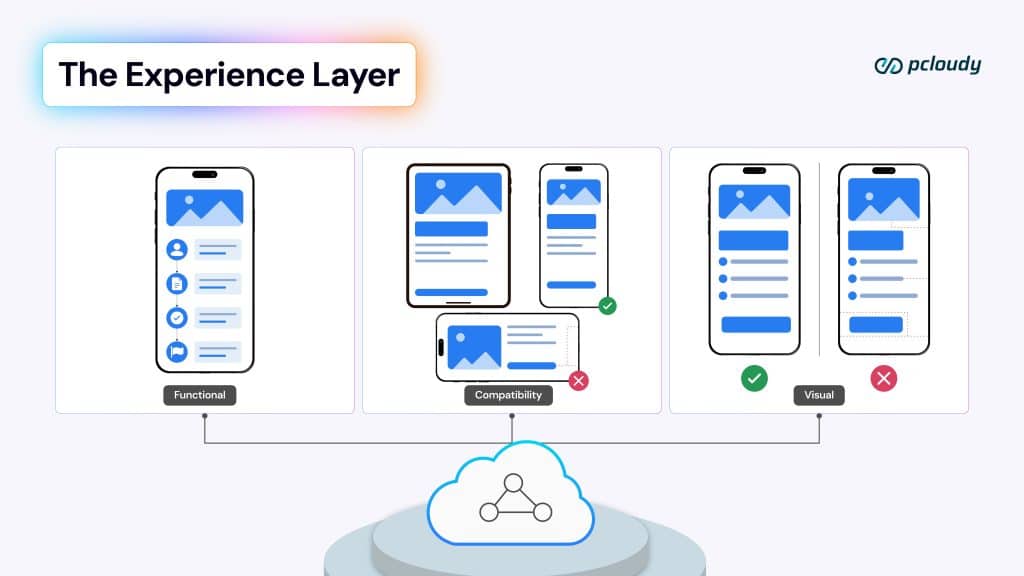
Compatibility testing extends this challenge even further. It validates whether applications work consistently across the enormous diversity of real-world device ecosystems. Different screen resolutions, processor capabilities, RAM configurations, operating systems, and manufacturer customizations all influence application behavior in ways synthetic environments struggle to reproduce accurately.
A layout may collapse on smaller displays. Notification permissions may behave differently across manufacturers. Memory constrained devices may terminate background processes unexpectedly. Gesture handling may vary across hardware implementations.
These are the invisible fractures that users encounter daily while internal dashboards continue reporting green test results.
Visual testing introduces another dimension entirely. Users rarely distinguish between visual issues and functional failures. If an interface appears broken, inconsistent, or poorly rendered, users immediately question the reliability of the entire application.
Rendering inconsistencies across display hardware creates subtle but meaningful trust erosion. A screen that appears perfectly aligned on one device may clip content on another. Color contrast that technically passes accessibility thresholds in simulated environments may fail on real displays with different calibration behaviors. Typography spacing may shift across resolutions and pixel densities.
Visual defects rarely crash applications. They do something more dangerous. They reduce confidence. And once user confidence drops, every subsequent interaction feels less reliable.
The Reliability Layer
The second layer of quality is reliability. This is where production incidents are born, often long after functionality appears validated in controlled environments.
Performance testing traditionally measures speed. But modern performance engineering is not simply about how fast applications run in ideal conditions. It is about how consistently they perform under the conditions users actually experience.
An application loading in 1.2 seconds on a premium flagship device may require nearly five seconds on lower powered devices operating under memory pressure. That difference fundamentally changes user behavior.
Read More: Mobile App Performance Testing on Real Devices
Users do not benchmark applications rationally. They feel responsiveness emotionally. Even slight increases in latency create frustration, abandonment, and reduced engagement. Performance failures rarely produce dramatic system crashes. More often, they are just gradual moments of hesitation that collectively damage user trust over time.
And yet many testing strategies still benchmark applications against environments that do not reflect their actual user base. The median user experience matters more than the best-case scenario.
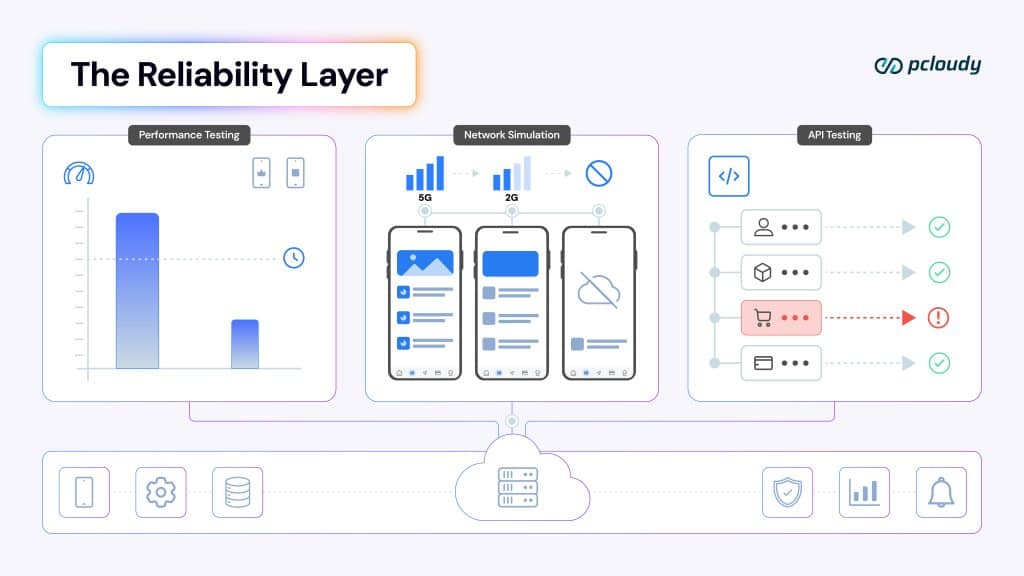
Network simulation testing exposes another critical gap between laboratory conditions and production reality. Applications today operate across unstable, inconsistent, and constantly shifting connectivity environments. Users transition between Wi-Fi and mobile networks, move through weak coverage areas, experience intermittent packet loss, and encounter varying latency conditions throughout the day.
An application validated successfully on stable office Wi-Fi may fail entirely during real world network transitions.
Test on real devices. Ship with confidence.
The complexity extends beyond simple bandwidth throttling. Real devices handle reconnections, radio switching, background synchronization, and network recovery differently depending on hardware and operating system behavior. Simulated environments approximate connectivity conditions. Real devices reveal how applications actually behave inside them.
API testing also evolves significantly when viewed through the lens of a real user experience. APIs rarely fail in isolation. Modern application ecosystems depend on interconnected services operating under dynamic network and infrastructure conditions.
The most damaging API failures are often silent. A checkout appears successful but never processes completely. Notifications never arrive. Data synchronization partially fails. Users receive stale information without realizing it.
These failures become visible only when APIs are validated within realistic device, network, and infrastructure interactions simultaneously. Testing services independently without validating their behavior under real usage conditions creates a dangerous illusion of reliability.
The Trust Layer
The final layer is trust. This is where applications move beyond usability and begin earning long term user confidence.
Accessibility testing represents one of the most important and most misunderstood dimensions of quality. Accessibility is often treated as a compliance exercise rather than a user experience requirement. But inclusive design directly influences whether applications are usable by millions of people across varying physical, cognitive, and situational contexts.
Contrast failures behave differently across display hardware. Tap targets that appear accessible on large devices may become unusable on smaller screens. Screen reader navigation flows can break on older operating systems despite passing automated accessibility scans elsewhere.
Accessibility failures are rarely universal. They emerge at the intersection of hardware, software, rendering behavior, and user interaction patterns. Only real device testing surfaces these intersections accurately.
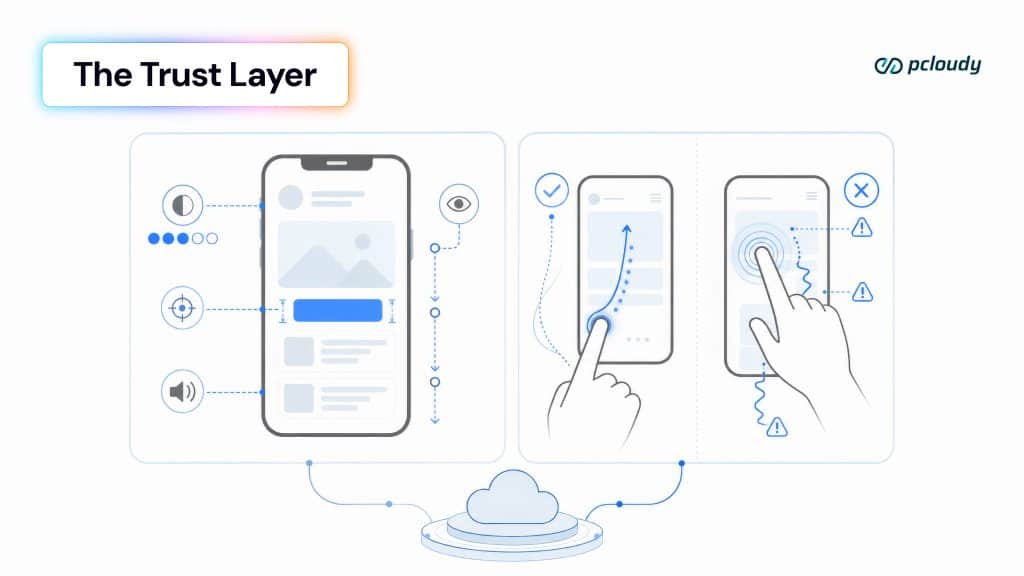
UX testing adds the final human dimension. Applications are not judged purely by technical correctness. They are judged by how they feel during interaction.
Touch responsiveness, scroll smoothness, gesture recognition, animation performance, haptic feedback, and interface fluidity all contribute to perceived quality. Users may never consciously identify the source of friction, but they immediately recognize when experiences feel inconsistent or unnatural.
This is where emulators reach their limits most clearly.
Simulated environments cannot fully reproduce the tactile and behavioral characteristics of real hardware interaction. UX friction rarely appears in defect reports or automated logs. It appears in user hesitation, reduced engagement, abandoned workflows, and declining trust.
Users feel quality before organizations measure it.
Why the Foundation Determines Everything
Every testing discipline across these three layers shares the same dependency: the quality of the environment in which testing occurs.
Functional testing executed on incomplete environments produces incomplete signals. Performance testing measured against unrealistic hardware produces misleading conclusions. Visual validation on simulated displays miss rendering variation. Accessibility testing without real hardware ignores physical interaction realities.
- The testing category itself does not determine signal quality.
- The foundation does.
- This is the critical shift modern quality engineering must recognize.
Organizations do not need seven disconnected quality strategies. They need one unified quality foundation capable of supporting all seven dimensions simultaneously under real world conditions. When functional, compatibility, visual, performance, network, API, accessibility, and UX testing all operate on the same real device foundation, the outputs stop conflicting and start compounding.
Instead of fragmented validation, teams gain a coherent understanding of software quality across the entire user experience stack. Not seven disconnected signals. But, one unified signal of trust. Because users do not experience testing categories. They experience software.
Read More:
- Build the Right Stack: The Foundation Problem in Modern Testing
- Testing at a Scale: How One of India’s Biggest Telecom Players Fixed Scaled Their Testing
- Why We Chose to Build a Stack Instead of Just Another Tool
- Best 7 Android Emulators for Mac
- Best 10 iOS Emulators for PCs
- Android Emulators: Features, Benefits, Limitations