
Qpilot Comment and Uncomment Steps in Tests | Pcloudy Docs
Overview
Qpilot now allows testers to temporarily disable any step in a test case without deleting it. By commenting out a step, testers can skip its execution during a test run while preserving it for future use. The step can be uncommented at any time to restore it to the execution flow. This makes it easier to modify test scenarios, troubleshoot specific steps, and experiment with test flows without losing existing test configurations. Commented steps are saved with the test case and are also reflected in the Steps Performed view.
Steps
-
Hover a step and click the /* */ icon ("Comment step"). The step turns grey and is skipped on the next run.
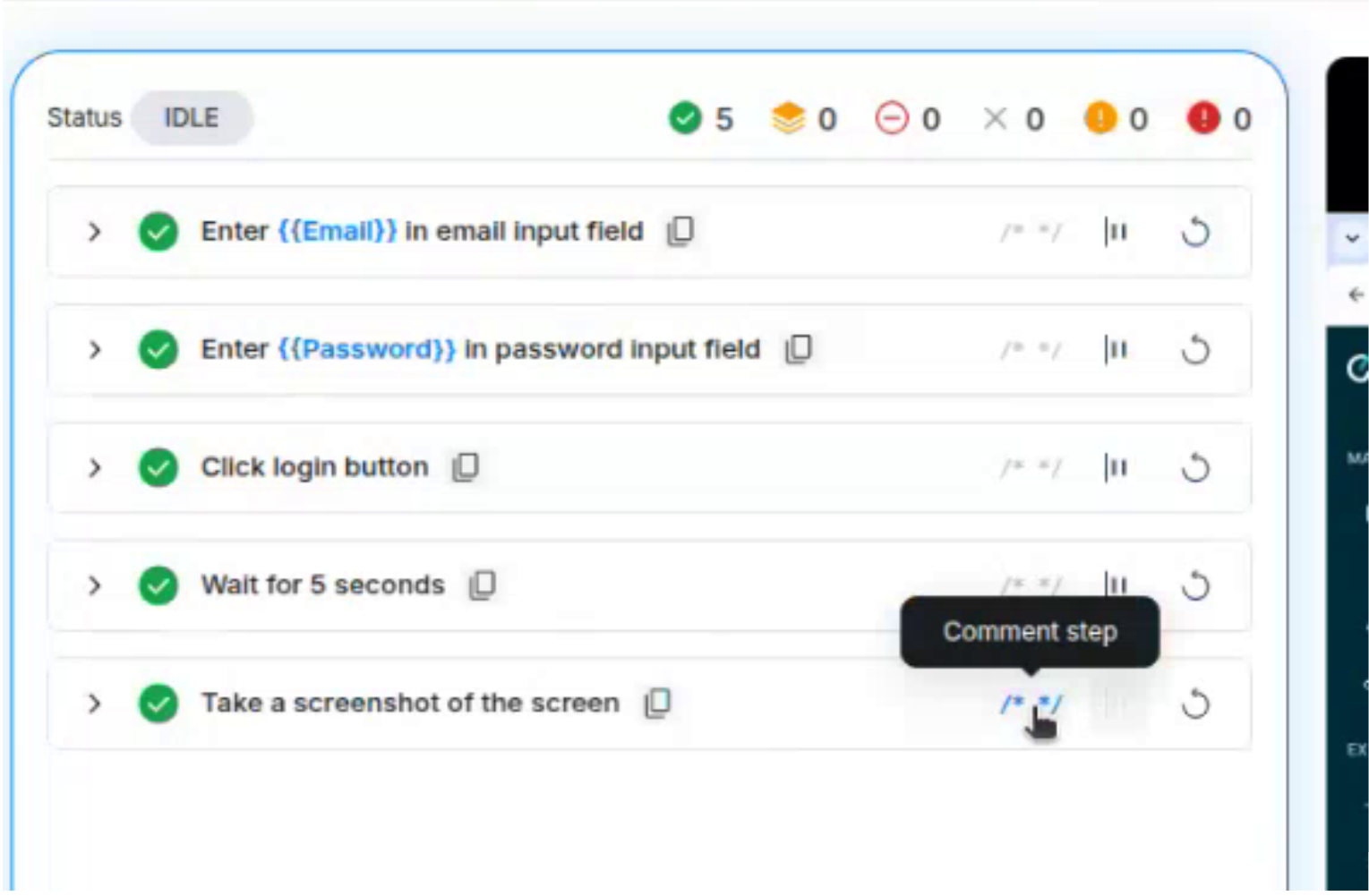
-
Click the same icon ("Uncomment step") to restore it.
-
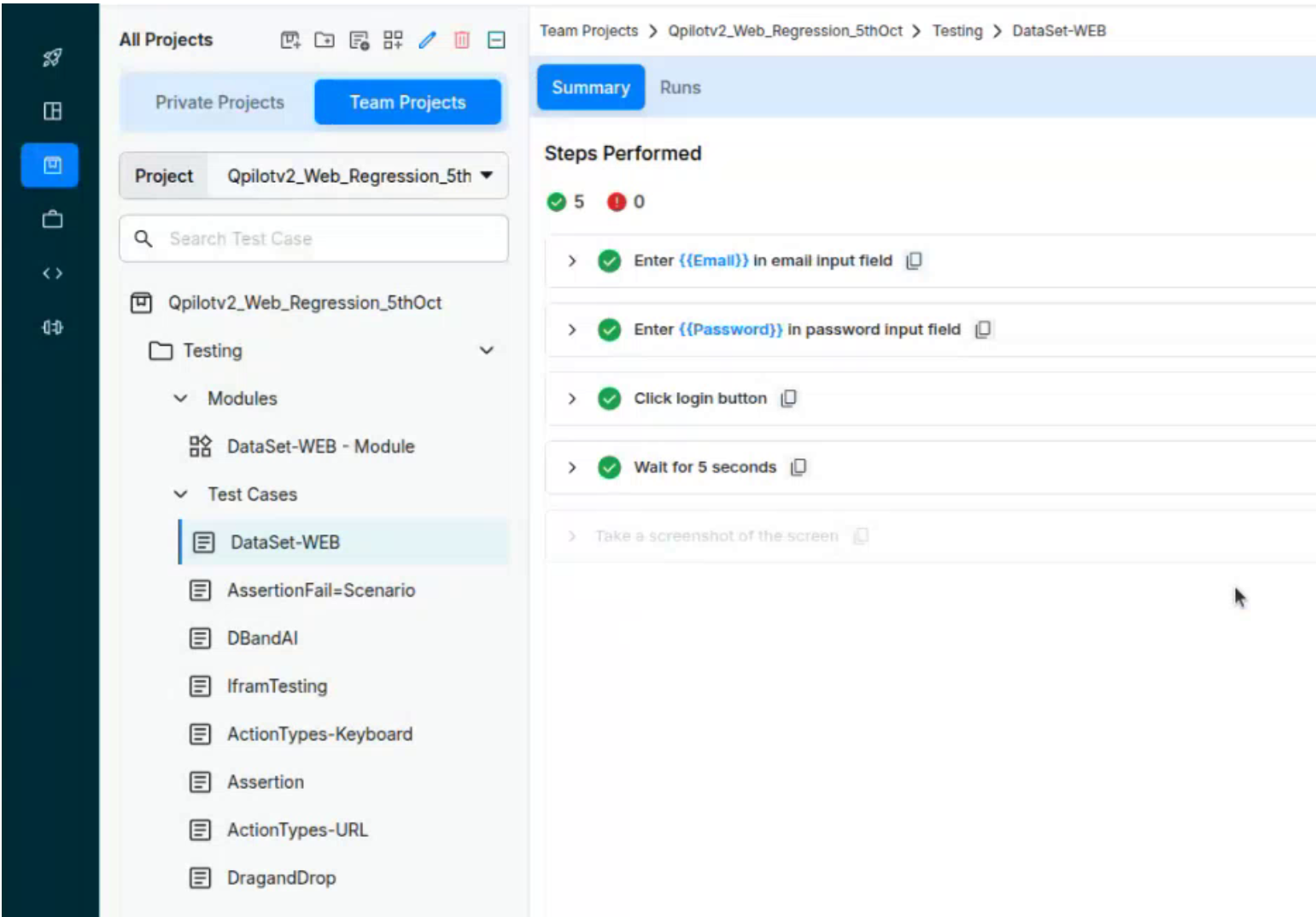
The commented state is saved with the test case and shows in the test case's Steps Performed view.
Benefits
- Temporarily skip a flaky, slow or unfinished step without losing it.
- Isolate which step causes a failure by switching steps off one at a time.
- Keep alternate or optional steps in the test, ready to switch back on.
- No need to delete and re-author steps, which saves time and avoids mistakes. h
Did this page help you?