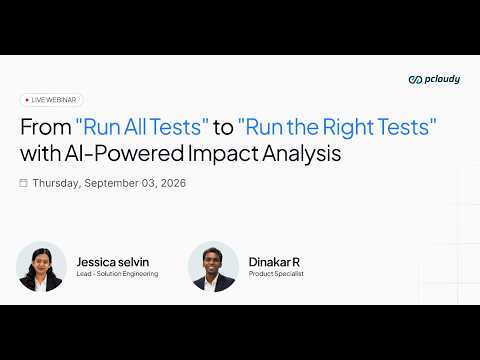
Dinakar
Hello everyone and welcome to the webinar. We're just going to start in a couple of minutes. just stay with us a few more minutes and then we'll kick off the session with everything that we have in store for you. All right. Hello and welcome everyone to Pcloudy's webinar on detect, diagnose, and debug. Resolve test failures in seconds with our AI failure analysis agent.
Dinakar
My name is Dinakar and I'll be the host for today. And before we get started, I would like to go over a few housekeeping rules. you may have noticed that your line is currently muted. And if you have any questions, you can submit your questions during the webinar using the Q&A option given at the bottom of the screen.
Dinakar
we will answer your questions as part of the Q&A sections towards the end of the webinar. Also, please do note that this webinar is being recorded and we will send out the link of the recording to share with your colleagues or watch it a second time. With that said, let me introduce the speaker for today.
Dinakar
Jessica Selvin. Jessica is a solutions engineer at Pcloudy. She has around 5 plus years of experience in the IT industry. And prior to her role here at Pcloudy, she has worked with organizations like LTIMindtree and as a pre-sales consultant in automation solution design space. So, she has a keen expertise in data analytics and various automation tools.
Dinakar
So, let me hand it without further ado Sorry. without further ado, let me hand it to our speaker, Jessica
Jessica Selvin
Selvan. Over to you. Okay, thanks. Thanks, Dinakar, for the introduction. And yeah, really happy to have you all here for this webinar on diagnosing and detecting test failures, right? And how do you actually speed up your investigation process with your test cases? so, let's firstly look at the current state of how the industry is, right? What actually we are observing in terms of the industry standards, right? So, firstly, we can see that automation adoption is at an all-time high, right?
Jessica Selvin
76% of engineering teams have adopted test automation at a moderate to a high scale, and this is the majority of the industry. And so, automation is no longer an add-on or something that's optional. It is the standard. And secondly, we see that test volume has exploded, right? So, teams are creating three x more test cases per sprint compared to just three years ago. And the CI pipeline trigger sweeps automatically, right? So, results land in dashboards within minutes.
Jessica Selvin
And yet, also something that we're observing that investigation is still almost entirely manual. 41% of QA time is still consumed by manual failure investigation despite all that automation, despite all that tooling, nearly half of every QA engineer's working day goes there, right? And the question that we need to ask is how many of us are significantly having more automated tests today than two years ago? And that's probably yes, like we have significantly more automated tests, but at the same time, how much of us can claim that we have faster and easier investigation processes to match that, right? So, there's there's where we're able to see a gap, right? Between automation adoption and investigation productivity. And So, here's where that's where the core problem lies, right? As we are scaling up the automation, the investigation becomes more complex, and we are not simplifying that process and more test means more failures and more failures means more manual work looking into it, right? So, the bottleneck didn't just disappear, it grew. And so, this session is something that we're going to look about how can we go about closing that gap, right? And how do we start? So, I'm showing what investigation looks like when it is no longer manual. So, here is another automation paradox, right? And just looking at what have we in the testing space typically, what have we already achieved in automating seamlessly? So, firstly, our test case execution, our test scheduling and CI pipeline implementation, our collecting the results and reports, our failure statuses, all right? And capturing a screenshot on failure as well as video recording. So, all these are, fairly automated processes right now. And what still remains manual is reading and interpreting logs. For example, classifying what type of failure actually occurred, cross-referencing multiple log sources or stack tracing logs and tracing the root cause through different layers and then writing a summary, all right? So, that's the paradox, right? Every time more automation runs are there and you have more test cases, it would tend to produce more failures and every failures require a human to investigate manually.
Jessica Selvin
All right? So, that's where we are seeing that bottleneck, right? And that gap. and we have solved like half of the problem, all right? And where now with investigation requirements scaling up because of the way we scaled up our automation, that part is still lagging, right? So, we have automated the part of execution and creation seamlessly and we have left a significant part which takes QA time significantly 41% as we saw. Right, so that is the paradox that we observe here. And now let's look at a basic stats on how a QA engineers time is majorly distributed, right? So in terms of the investigation breakdown, right? So firstly we have the log reading and failure investigation. So as soon as a failure happens looking in looking through the logs seeing whether it was a flaky test or what exactly was the root cause. Right? And secondly you can all relate reproducing and validating failures, right? Often times reproducing a failure and ensuring that you're able to figure out how to reproduce it and validating that and then analyzing the logs again takes up a significant amount of time. Then writing the failure summaries reports, collaborating with your dev. Right, maintaining existing test scripts and test cases come at a much lower in terms of the time consumption. So here's the key insight, right? Like if you add up just the first two, nearly 60% of QA time goes into reproducing issues, failure investigation, log analysis and so on, right? So this is where our most of the QA's bandwidth is going.
Jessica Selvin
So what do those engineers what can they be doing instead, right? So this is instead of writing test for uncovered flows and edge cases they could be exploratory testing on new features before release and collaborating with developers. Right, or building smarter more resolution resilient automation infrastructure. So this is not a criticism of QA engineers, it's just talking about how much time goes in based on how efficiently the tools are working to investigate the test cases. Now, looking at what a test failure really says, right? And in terms of what are the key layers that we observe when a test failure happens. So, every time there's a test failure it is not a simple event, right? It is a multi-layered technical incident happening across five different or distinct levels simultaneously. So, most engineers would only see layer one. So, the investigation is about reaching that layer five, right? So, firstly, it's just that the layer one is just the test reporting layer, right? Whether it passed or failed, right? And you're just So, this is just the symptom or the outcome. And secondly, we have the automation framework layer, right? So, whether it's Appium or Selenium or any other framework that you're using, right?
Jessica Selvin
what exactly happened there? So, time Maybe it timed out waiting for an element to appear, right? And this raises the question, why wasn't the element there? So, that's where the layer three comes in, which is the app layer or the application layer. right? So, maybe a dialogue box appeared from an asynchronous background API call blocking the expected UI state. So, this raises the question, why did the app behave outside the expected behavior, right? And then layer four comes, the system or the device layer. So, what the device or the OS did? Maybe because of some memory pressure or a spike, it delayed the UI render cycle causing a dialogue box to appear late, right? And so, this raises the question, is this a device condition or is it a code problem? And then finally, we go to the root cause that maybe because a background service was blocking the main thread causing a cascade of delays and the test cases wait strategy wasn't designed to handle this. So, that's the key point, right? So, manual investigation requires working down through these layers and there are no tools or avenues where a QA engineer can look into this meaningfully and with efficiency. So, true AI failure analysis agents should travel through all these layers, right? In order to give you a true root cause analysis.
Jessica Selvin
So, now let's look at where what are the different information sources that you would need to look into to get all this information, right? Through these five layers. So, you need to understand what engineers are actually reading and how much of it is there, right? So, a single test failure generates output mainly from four completely separate log sources, right? So, firstly, we have the device logs. So, if there was any system level crash or ANR events or memory CPU pressure or any issue in the network connectivity or OS permission, right? Or OS notifications, right? So, this is at the device level where you would need the device logs and why they matter is they often hold the system level causes, right? That the automation layer cannot see. Second source, we have the automation logs which could be your Selenium Appium logs, for example, right? So, step-by-step execution trail, right? The element find and the interaction attempts, if there was any wait violations or driver issues, right? Or any framework level exceptions.
Jessica Selvin
So, this matters why? Because they show exactly what the framework did and where did it stop, right? At which element or which interaction did it have an issue with. And then thirdly, we have the build or the CI/CD logs. So, if you have CI/CD in place, any environment related issues or pipeline stage results, test runner initialization, if there was any issues there, you would be able to see that. So, this would answer the question, how many of my test failures are environment failures because if it's a wrong build or missing config, right? And then finally, we have the app logs, right? So, any business logic or at the UI layer, right? API request and response errors, all right? State management transitions, crash reports, ANR logs, right? So, all this would come under the app-related logs, right? So, this exposes what the application was doing at the exact moment of the failure. So, this all these logs are huge, right?
Jessica Selvin
And they create a volume problem. So, a single failure can generate thousands of lines of logs across all these four sources, and the timestamps don't always align, right? Each source uses a different format, right? And cross-referencing all of this manually at scale, is the daily reality of QA investigation. Now, coming to what could be the different failure classifications, right? So, without consistent classification, every failure feels unique, right? So, patterns stay invisible, action paths stay unclear, and teams waste enormous time re-diagnosing issues they've already seen before, right? So, for example, an engineer A may detect a timing issue or an B then another person environment issue or a product bug, right? So, the investigation could start from different directions because there's no standardized way to get all this information collated in one place, right? So, it could be either a UI interaction failure, element not found issue, or a flakiness issue, environment API, or a data state mismatch, or a framework or a scripting error, all right? And it can also be on the CICD side. So, the classification is not just for cosmetic reasons. It is operational, right? So, each category could have a different owner, whether it's the QA engineer or DevOps or Dev. All right, and the fix could be different, whether it's for stabilizing it, what is the urgency level, right? So, all without classification, all these failures would look the same. And all of them would land on the QA engineer's desk, regardless of who actually owns the fix.
Jessica Selvin
So, again, all right, coming back to what is knowing what failed is easy, but knowing why it failed is where the real challenge is, right? So, most teams live permanently in the what and rarely reach the why. So, for example, for what, you could just say the login test failed because the biometric dialogue, was not found within 8 seconds, right? But why it failed could be much deeper, right? So, it could be maybe a version issue. So, any Android device above 13, the dialogue box now appears before the biometric prompt, right? So, the wait strategy in the test was written before this OS behavior change happened. Right? So, this is what hours of log investigation would give you, and it describes the exact cause and easily enables you to identify what exactly would fix it as well.
Jessica Selvin
So, when the root cause is never formally identified like this, right? So, the same underlying issue would tend to resurface, and you would just do more of symptomatic adjustments rather than actually dealing with a permanent fix that resolves it across all your different test cases, and this causes the this causes even the QA bandwidth time because it that investigation time is taken up again and again. And then let's talk about flakiness.
Jessica Selvin
Again, let's take a minute to look into that. So, one of the major challenges in failure analysis is flakiness, right? Which is very difficult to handle because what makes flakiness so hard to investigate is that the failure disappears when you try to reproduce it. So, maybe your end users or your junior QAs are reporting something and then when you try to reproduce to look into it and analyze the logs, you are not able to reproduce it, right? So, this makes testing of these kind of issues very difficult. And stack traces and logs look identical between flaky runs and legitimate failures. So, the engineers would spend hours investigating a failure that turns out to be maybe timing noise and distinguishing between true flakiness from a real bug requires a large sample size and deep pattern recognition, right? So, And flakiness also affects your team's behavior, right? So, this is the real damage. Engineers start rerunning failed tests without investigating and they'll say it'll probably pass next time.
Jessica Selvin
And legitimate failures can get buried in the flaky noise, right? And second, the confidence in the automation suite erodes, right? So, the suite becomes a liability rather than an actual safety net. And leaders start questioning on the ROI of the automation investment, right? And your devs also do not trust the feedback that you give, right? So, flakiness doesn't just become a technical problem, it becomes a trust problem and once the automation suite loses the trust of the team, it stops functioning as a quality gate.
Jessica Selvin
Yeah. Next, coming to how investigation expertise becomes a bottleneck, right? So, the ability to investigate failures is a learned skill, right? It requires maybe senior QA engineers and it is not easy to scale. It requires a lot of knowledge, and create serious organizational risk because it cannot be easily transferable kind of a skill. So, junior QA engineers can execute tests and read past fail results, but interpreting a 40,000 line device log and cross-referencing it without automation output and forming what could be the conclusion, right? This requires experience that could take years to develop, right? So, over time a small group of people become it becomes a dependency to go to them as the go-to investigation for every complex failure, and they carry the mental load and the history of the past failures and the pattern recognition knowledge that makes the investigation fast.
Jessica Selvin
And how does this impact the releases, right? So, this has a direct impact on the release, right? So, firstly at the sprint level, a typical team running 500 automated tests might see maybe 40 to 60 failures per run across devices and OS versions. And at 19 minutes of a failure, that's like 60 to 90 hours of investigation work per sprint or per team, right? And secondly, at the release time, right? So, unless uninvestigated failures create uncertainty at every release time, right? So, teams face an impossible choice. Either they can delay the release while engineers investigate, and that would miss the deadlines, or they ship with known issues, right? Which is an unacceptable risk when you're trying to scale, right? And neither option is good and both are avoidable. And this directly leads to a developer trust impact as well. So, when QA cannot quickly explain why a test case failed, developers push back on blocking their work, and developers begin viewing automation as unreliable, right? And then the trust between dev and QA also can get impacted. Right?
Jessica Selvin
So, that's where the investigation bottleneck directly impacts your sprint level as well as release level issues. So, what have what has the industry done so far? Right? So, we do it's not that the industry is not aware or has ignored this problem. So, there have been a lot of approaches done. Right? So, firstly better reporting dashboards. Right? We have tools like a lot of test rails. Right? Or custom dashboards that surface failure data more clearly. We have run books. Right? Where teams document known failures, common root causes.
Jessica Selvin
Right? And maybe any critical failures. Right? They are reported as well in the run books. right? And then we have postmortem processes. Right? Like structured retrospectives on major failures. All right? building a knowledge base or having institutionalized knowledge so that it's able to be transferable within the team. All right? Which is important for if you want to prevent recurrence of this issue.
Jessica Selvin
All right? And then you have a smarter test retry logic. So, auto retry on failure reduces the false positives and any flakiness. And you can also but this doesn't really eliminate the need to investigate the failures because it can also mask real problems. Right? And then we have AI mostly on the generation part of test cases or generation part of the test scripts or self-healing and the maintenance of the scripts. But when it comes to the action failure analysis, we have not leveraged AI in that aspect as much. Right? So, every one of these solutions surfaces data better and they organize it better and they reduce the noise around the edges. But none of them really interpret the failure and none of them are answering the question why did this test fail? Right? And what type of failure is it? And what should we do about it? So, that gap is still significantly exists in the industry. right? And that's the missing layer in the failure analysis, right? So, we have excellent tools to execute the test and tools to display and collect the results.
Jessica Selvin
but interpreting the failures is where that is the missing layer, right? And the layer between the test failed and here is what to do about it. So, that layer that reads every log source simultaneously and classifies the failure type, traces the root cause through the five layers, and recognizes whether this pattern has appeared before, and tells the engineer in plain language rather than log speak exactly what happened and what to try next, right? So, this layer requires something that is that was not possible at the required speed and scale until recently, right? So, the ability to read, correlate, and reason across thousands of lines of heterogeneous log data. right? So, what if everything you just, you figured out spending 3 hours that an investigation that took you 3 hours was waiting for you the moment the test failed, right?
Jessica Selvin
Where you had all these data points. So, that's where we introduce our Pcloudy's AI failure analysis agent, right? Which is a platform agnostic autonomous AI agent built specifically for in-depth test failure analysis. So, let me be precise about what exactly this does, right? So, it's an AI agent that automatically investigates every test failure.
Jessica Selvin
Right? It is platform agnostic. right? It works across any testing fail framework, any CI pipeline, all right? it is autonomous, so right? So, no human needs to configure it as such. It default gets generated with every test case for all your builds. All right? And it's not just a smarter reporting dashboard, for example, right? Or an AI test case generator. It's It's not a retry mechanism or a flakiness filter, right? So, what it replaces is the manual Yeah.
Jessica Selvin
Yeah, what it replaces is the manual execution workflow. Right? And what does it not replace, right? So, it's still the elements of QA experience and judgment is very much still important, right? So, the judgment call on priority, the actual implementation of the fix, and the decision to escalate or accept risk, all this is still decided by the QA. So, now coming to what are the key capabilities of the AI failure analysis agent, right? So, firstly, it pinpoints the exact step, element, line, or condition that caused the failure, all right? And it eliminates the initial log scanning that you have to do entirely, right? It eliminates that, and you get the answer where exactly did it break. And then you have a failure classification, right? Whether it's a UI issue or flakiness, environment, right? And then thirdly, we get a root cause analysis, so it traces the different logs, right? And from the test report symptom down to the system level device logs, and it tells it in plain English language, right? Not in logs. Though, we do give you access to the logs as well.
Jessica Selvin
And then fourthly, the historical pattern recognition. So, even at the build level, we if any particular issue is happening repeatedly, identifying those patterns, right? And also it gives you recommended actionable suggestions like fixes that you can do. And then as I mentioned session level aggregation, right? So across all these different runs in your test suites, it will identify patterns and it also say across my 40 test cases, what exactly are we dealing it dealing with and what do we fix first? Next, coming to the two layers that we have the AI failure analytics, right?
Jessica Selvin
For both test case as well as session level. Right? So firstly, we have the individual test case level, right? So for every failing test case, the agent produces a single structured output containing the exact failure point, the classification and confidence level, what is the root cause, right? And the suggested fix, right? And then secondly, we have at the session level, maybe for QA leads and managers, right? A test session typically contains dozens or hundreds of test case runs. So maybe it groups all the failures by a shared root cause or shared issue observed on a particular version of a device, right? And ranks those issues by severity and frequency, compares the session to previous runs, right? And it flags areas of the app with consistently high failure rates, right? So the combined picture here is that the individual engineers get granular clarity for every test case they own. And you also get and leads and managers can get a quality picture of the entire run, right? So both outputs come from the same underlying analysis pipeline and there is no extra work required from either side. So that just hope this gives you good context about where our Pcloudy's AI failure analysis comes into the picture.
Jessica Selvin
And with that, I would like to get into a quick demo of our solution. So, let me just share that. Just give me a second. Yes.
Jessica Selvin
So, this what you see right now in our screen is our Pcloudy platform. Let me just quickly introduce it before I get into our AI failure analysis part. So, we are a device cloud with intelligence, right? For your testing your digital experience, right? So, the core of our solution is that we have test infrastructure. We host real mobile devices and browsers for you to either manually connect to these devices or, through your automation framework. We seamlessly integrate with pretty much all the popular automation frameworks like your Appium, Selenium, Playwright, Espresso, and so on. And we have also built several AI agents, right? We have dedicated or native AI agents like our Qpilot and Q gen, which creates test cases, creates test scripts, visual testing, app performance metrics analysis, right? So, these are just to name a few of our AI capabilities. All right. And coming to our infrastructure, now I'll click on real devices. So, all these devices that you see here are real physical devices. They are not simulators or emulators. And we have data center presence across these different regions right in Singapore the Middle East the US and a couple of data centers in India right so you can just simply choose a device of your choice upload your APK or IPA builds right and you can get started with your testing. All right so let me show you two reports firstly on the manual side all right and if you want to know more about the core capabilities like doing your runs and manual testing as well as automation you can reach out to us but I would get straight into the reporting aspect given that's the focus of our webinar.
Jessica Selvin
So coming to the report section right so you will be able to see our manual and our automation reports and both have AI based analysis in it so firstly let me quickly showcase you our manual report. So every manual report every time you take a session connect to a device and launch your app right or connect to a browser and launch your URL this is a typical report how it would look like right so you would get your session device details. Your application insights.
Jessica Selvin
Right and you will get the video of the entire session right so you will be able to see that downloaded locally and you will also be able to see any screenshots right so you will be able to download that as well and here comes our AI based log parser right so we will go through the entire device log and classify it into all these different issues right so you don't need to go through the those lines of logs and understand where could the issues be especially if there's any crash issue or any app not responding issue even those will get categorized into these kind of logs for example here you can see there's a frame skip issue and it will pinpoint the exact log line and according to the for binder issues, you can see it's shortlisted those relevant log lines and categorized it. So, this is on the manual analysis. And of course, if you want, you can download the entire set of logs as well. And these reports are shareable. So, in case if you want to share it with other stakeholders as well, you can just copy the link and share it across. So, that is just a quick summary on our manual AI log parser. Now, coming to our failure analysis agent for our automation, right? So, firstly, let me brief you about how our automation integration works, right? So, as I mentioned, we have seamless integration with all the popular automation frameworks out there. So, for example, let's say you want to run an ATM script for an Android-based application, all right? And you can just choose your what would be the APK file that you want to select, all right? And you can select which data center location you want the script to run on.
Jessica Selvin
All right? So, you can just pick that. And then you can select which device you want it to run on as well, right? So, you can just see all the list of available real devices and just pick a particular device. And you can see correspondingly a code snippet has gotten generated on the right-hand side. So, you simply need to copy this and paste it onto your script, right?
Jessica Selvin
So, I already have a script here where the capabilities are already there. The code snippet is there that specifies my username, all right? My device and the APK name, all right? As well as the APK details like the package activity name and the final endpoint URL, right? And below is my actual script which specifies all the clicks and interactions to complete the flow.
Jessica Selvin
All right? So, this is an ATM script in the TestNG framework. Let me just go ahead and run this script now. So, as soon as we triggered the run and you see that an Appium session is initiated. Once that happens, you will be able to come to the My Active Sessions in the Pcloudy platform side and track the execution of the automation, right? So, you can just You can see it's already picked up the device.
Jessica Selvin
I can click on view session and you'll be able to see the device connection happening live, right? And once the automation is kick-started, you'll be able to see the app also get installed onto the device and the interactions happen one by one. So, one way to track it is through the live view where you're just seeing every interaction happen.
Jessica Selvin
And secondly, you will also be able to go through the our live reports and that's where our AI failure analysis is there. Right? So, here you can see the automation is currently in progress. Now, let me come to the report section to show you our automation reports. So, you can see a report for our current run has already gotten generated.
Jessica Selvin
So, you can see this is the project that currently the test cases are in progress. Right? And you can see it has just now gotten completed. So, let's just look at an individual test case report. Right? So, firstly, you'll be able to see the text logs, right? Which is the output of each and every step. It's more of a condensed text logs where you'll be able to see which XPath got clicked on and what was the result.
Jessica Selvin
You'll be able to see the screenshot in case any screenshots was enabled. You'll be able to see the video of the entire session. You can also see the entire set of logs, right?
Jessica Selvin
The Appium and device logs can be viewed directly here and you can download that as well. And here comes importantly our AI analysis agent, right? So, because this test case that we just now executed has passed, you don't see a root cause analysis. However, I will be showcasing you a failed test case as well to show that. And secondly, so firstly, you'll be able to see the root cause analysis and then you'll be able to see any performance red flags, right? So, in case if there was any slow API response, if there was any slow page load observed at any point, right? What is the actual versus expected, all right?
Jessica Selvin
Any navigations that was unused, right? And what could be the impact of this, right? in terms of the test time that could have gotten inflated because of this and what could be the recommended actions, right? May maybe whether it's adding a wait time or removing a particular navigation, right? It will give you all those different recommendations. So, it's not just for failure, even if your test case passes, it gives you some suggestions to make your test case more stable and prevent flakiness of your test cases, right? So, this is at the individual test case level for a passed test case.
Jessica Selvin
Now, let me open up a failed test case to showcase how that looks like. So, I have run some automations on the IKEA app and here I'm showcasing you a failed test case. Right? So, you can see here again, you'll be able to get all the logs as I similarly showed you. And coming to the AI failure analysis, right? So, it gives you what is the root cause analysis, right? So, in plain English, what is the summary?
Jessica Selvin
The test failed with one unique error because of an element not being found, all right? And also, what could be the exact root cause summary, right? So, the error indicates that the element could not be located on the page using the given parameters. And it's likely because the element was not present on the screen, right? And it also gives what could be the reason. It could occur if the element is dynamically loaded or a search is attempted before the element has becoming unavail- available, sorry. And also it filters out through the entire set of log lines and gives you only the relevant log lines. So, you can see it's filtered out all the Appium automation logs and it's showing you exactly where the issues it has identified, right? So, the element not found issues. All the relevant log lines related to that would be displayed for you. And finally, it gives the suggested actions or the recommended fixes, right? So, for example, ensure that your element locator is not a dynamic one or not a unstable locator, right? and it matches the current element on the screen. All right. And also maybe you need to add an explicit wait to allow the element to be present before attempting to interact with it, right? Maybe a WebDriver wait, right? And then check if the element is within any iframe, right? So, supposing particularly in web-based applications or hybrid apps, you'll be able to see that some elements are present within an iframe and then you need to switch to an iframe, right? So, it gives that fix as well.
Jessica Selvin
And then verify that the application behavior is in the expected state. So, it's given you all the recommended fixes for the issue of your failed test case along with the performance red flags as well, right? So, this is how a root cause analysis looks like at the individual test case level. Now, coming to the build level itself, right? So, now for all the runs, 16 or so runs that I have done for my IKEA app, here is the build level failure analysis, right? So, you can enable it at a toggle. By default, it will be disabled. You can just simply enable this toggle and it will show you what are the different error trends, right? So, the top error is the element not found issue and it's also told which sessions had it. Both were in the search results test case. And you can also copy the session ID and you can just search for it here and you'll be able to find out which session it's referring to, right? So, you can easily go to the session itself and drill down.
Jessica Selvin
And then secondly, anything at the build level, right? Any issues that it has identified. So, again, flaky UI elements. So, because of the UI elements, again, it has highlighted those two failed test cases. And any slow API responses that has seen, right? So, it will also showcase that. Any sessions with a slow page load, right? Any session with an unused navigation that could take up time. All right? So, things that are to do with that are most serious that could lead to errors itself or failed test cases are marked in red and you can see more of performance-related issues marked in orange or yellow.
Jessica Selvin
And also, you can see what are the device coverages, right? So, the device status across the different test sessions in this build, right? Which device did it actually fail in? So, you'll also be able to see that information as well. So, you can just, for example, take the session ID and identify that it failed in a Google Pixel 2 device. All right? And again, in which devices does it tend to pass? You will be able to see that as well. So, you'll be able to see the stability of your test cases, what is the error trends across the different runs in your project level, right? And be it in terms of the errors, be it in terms of the device coverage, as well as anything that could be up affecting the stability of your test cases. So, this is at the session level of your AI failure analysis. So, I hope this gives you some good insights into how you would actually be able to fast-track your investigation process, right? Both at the your entire project level or build level, as well as for an individual test case, how you'd be able to fast-track that not having to go through those log lines. Having exact recommended fixes, right? And if you're interested to know more, you can reach out to us and also we'll be taking in questions now. If you have any questions on what you've heard so far, feel free to drop it in the chat and we will take that up. So, thank you. Thanks for your time and I hand it over for the Q&A.
Jessica Selvin
Great. Let me just quickly look through some of these questions coming in. Okay, one of the questions that we have here, Jessica, is we run tests across 50 plus device and OS combinations.
Jessica Selvin
Does the pattern recognition that you displayed work across that kind of fragmentation? Yeah, so that's what it's built for, right? So, it doesn't it's able to notice those patterns, notice which devices you have run on and in case it has a tendency that in say below Android 13 devices that there tends to be a failure, right? Or above there's a new Android or iOS version and it tends to fail in this version. It'll be able to give you those trends. So, that's what it's designed to identify, not just at the automation level, but even at the device level analysis is definitely possible across those different versions? Yes. Great. Great.
Jessica Selvin
All right. Another question. Can you show us how to integrate maybe this is more practical that we'll have to kind of take it offline. But if you can just give us a brief as to it says, can you show us how to integrate this with existing Selenium framework? Yes. Yes, I'd be happy to. Of course, we would might need a dedicated demo with you to showcase the whole thing.
Jessica Selvin
But I can just quickly show you how the capability code looks like for web-based integration. So let me just share my screen again. Yeah, so you see here we have a section for Selenium.
Jessica Selvin
Right? And be it whether it's Windows or Mac, you just need to specify once you have your Pcloudy credentials, right? Once you've logged in, you will get your username and API key by default. And along with that, the endpoint URL and which version, right? So for example, which Mac OS version and which browser, maybe it's a Safari browser. You can just specify and you can see all that capabilities is getting specified here along with the Selenium version. And you just need to paste this capability code into your Selenium script, right? And you're good to go. You will be able to run it. Yes, so that's how you would integrate with your Selenium Great, thanks. well, here's another one for you, Jessica. will this will this work for my current logs and setup that already exists in my in our setup?
Jessica Selvin
Yes. Yes, right? So there is no additional setup or any additional integration efforts that you need to do. All right? as soon as you trigger your automation by default on the Pcloudy side is where these reports are getting generated. So, there's no additional efforts. So, if you're for example, if you're already running your Appium Selenium scripts with us, you'll default get it. All right? And as I mentioned, it's as simple as just adding your capability code and you are good to get these results. Okay.
Jessica Selvin
All right, great. Just one last question here. Okay. How does this work with how does this interact with our existing CI/CD pipelines? we don't want to have to deal with an integration project again.
Jessica Selvin
So, how does this plug in some sense to the existing CI/CD pipeline is the question, I think. Yeah. So, again, it's seamless here, right? So, we have seamless integration with CI/CD tools like Jenkins or GitLab. right? Or Right? So, whatever CI/CD tool you have, you can just go ahead and trigger your suites directly. All right? And these reports would get added on as part of that, right? So, there is again even from the CI/CD standpoint, there is nothing additional effort in terms of integration that you need.
Jessica Selvin
All right, great. I think we're great on time. We have a couple more questions, then we'll take them. Otherwise, I think we can draw it to a close. any final thoughts that you want to add, Jessica? Yeah, I mean, I hope this makes you think about how you can fast-track your investigation process.
Jessica Selvin
And also in terms of how you do your automation analysis, right? So, maybe right now you're just preoccupied by ensuring that I get my sweets and regressions run. But going beyond that and fast-tracking your investigations, right? And the focus often is on automating and rightly so on, your test creations and all that. But even from an investigation standpoint, you get think of all the avenues that AI can actually help in reducing QA time and bandwidth, right? So and also, of course, if you are interested in a demo or if you want to discuss with your own QA teams or your managers and come back to us, we'd be happy to, take you through a demo and, facilitate your requirement. Great. Thank you so much, Jessica. Thank you for, sharing your wisdom in the field of failure analysis. You did a great job at, doing the deep dive into how we can use AI to detect anomalies and manage failures effectively. So, thank you.
Jessica Selvin
We also want to thank everyone who took the time to join in and listen in to this webinar. We're sure that some of the ideas and some of the insights that shared that Jessica shared may have sparked a few ideas to think through and implement. My recommendation would be to, mull over these ideas, talk to us to discuss, keep the conversation going. And like Jessica mentioned, do feel free to reach out to us with any questions.
Jessica Selvin
You can write to us at info@Pcloudy.com and we will respond to your queries shortly and we you can also reach out to Jessica on her LinkedIn handle. I'm sure you'll be able to find that on our LinkedIn page Pcloudy.com. And so, let's keep the conversation going. And thank you once again for being an engaging audience. Happy bug hunting.