
Last updated on : 21 Jan 2025
CodeceptJS
Overview
This guide helps you set up and run automated tests using CodeceptJS with Pcloudy on real devices and browsers (including Playwright and Selenium support). Whether you're testing native, hybrid, or web apps, this sample project provides a ready-to-use framework.
Project Repository
GitHub - CodeceptJS Sample Project
Prerequisites
- Ensure Node.js version 16+ is installed.
- User should be registered on the Pcloudy platform.
Installation
- Clone or download the project.
- Open a terminal in the root directory of the project.
- Run the following command to install dependencies:
Terminal
npm install
- Update the configuration as needed in:
config/pcloudy.config.js
Configuration Options
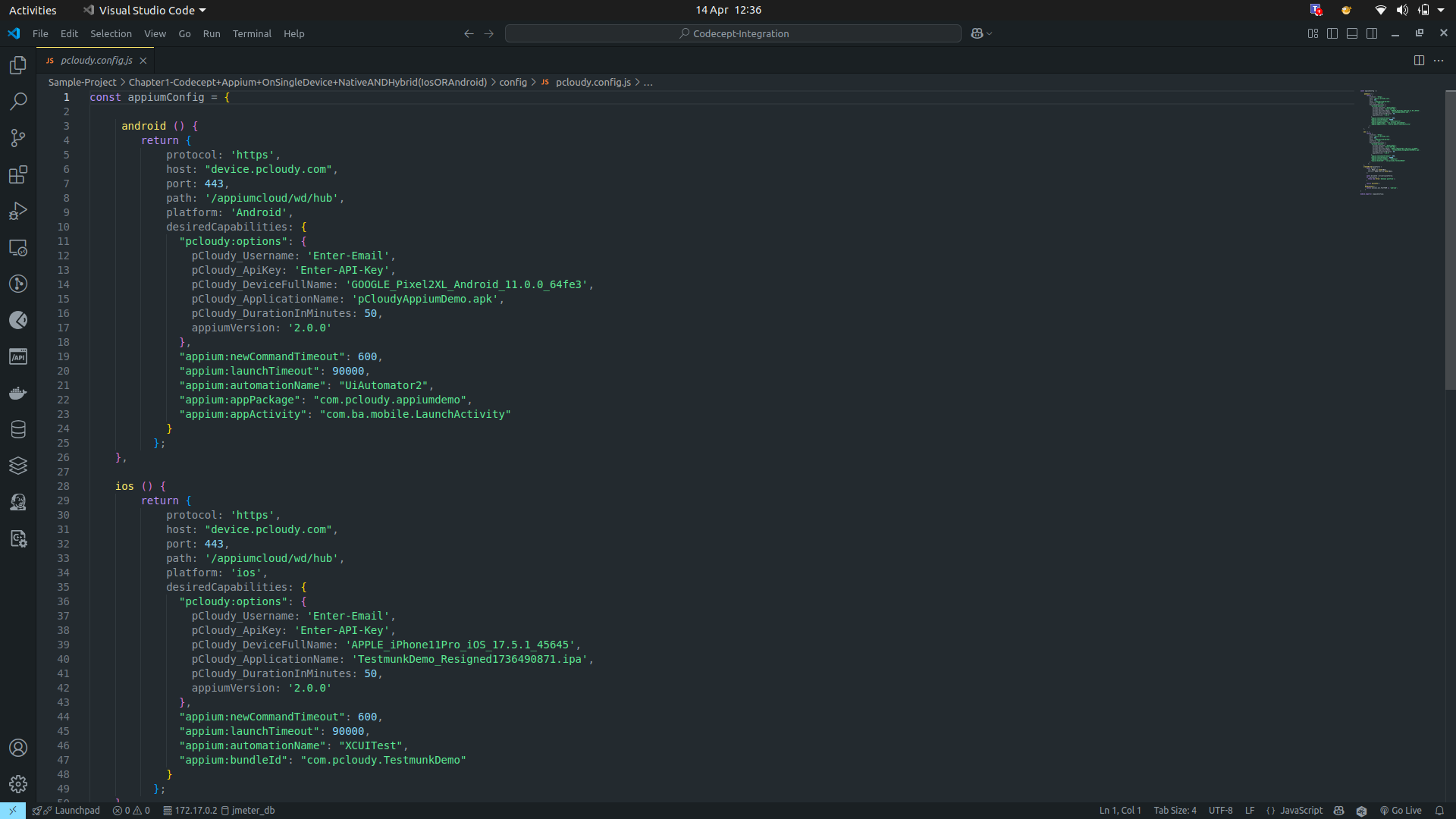
1. For Device Native/Hybrid App
Update the necessary capabilities in the pcloudy.config.js file under the capabilities section for your native or hybrid app.
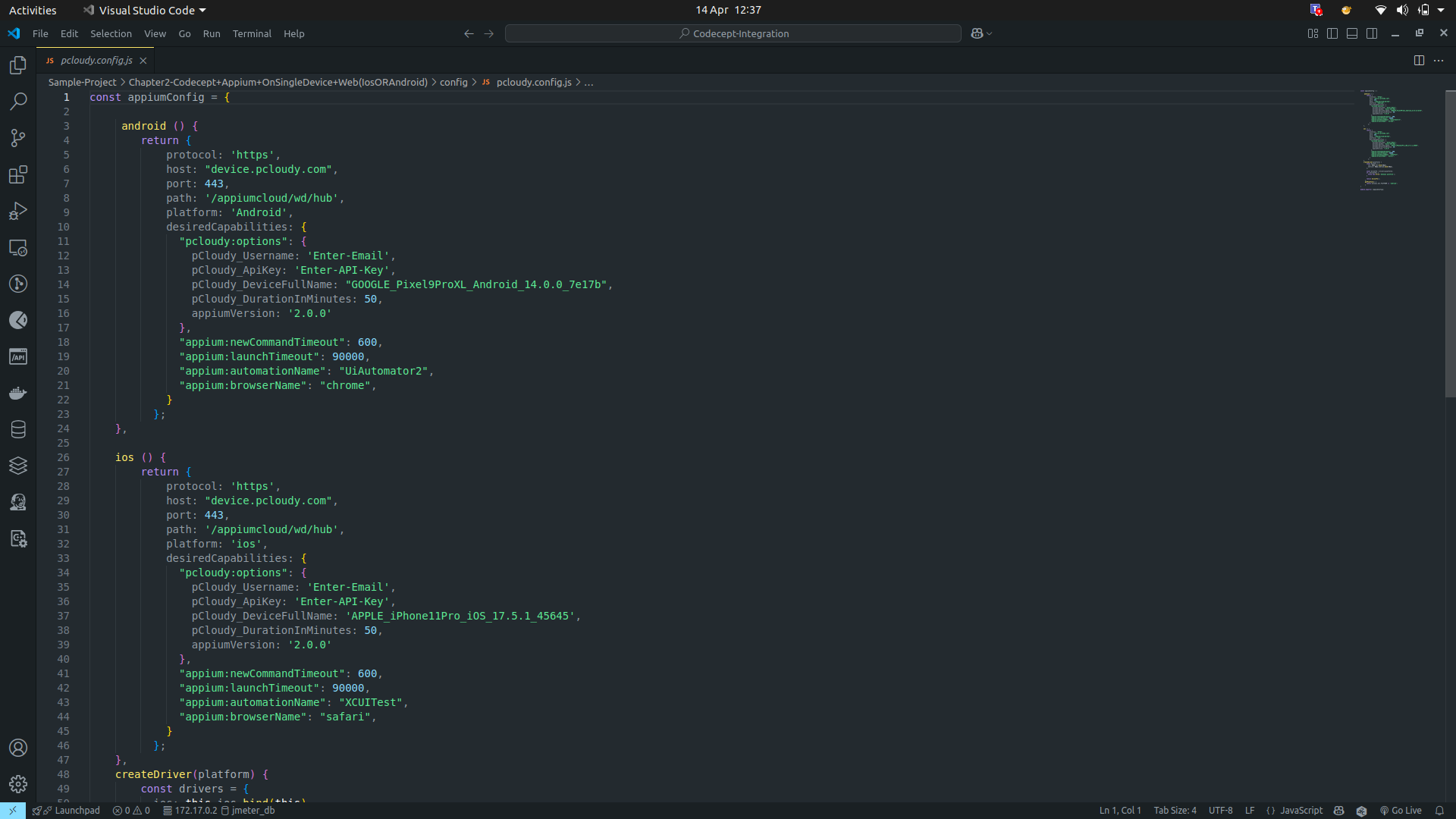
2. For Device Browser (iOS/Android)
Set the appropriate configuration for mobile browser testing (Chrome for Android, Safari for iOS).
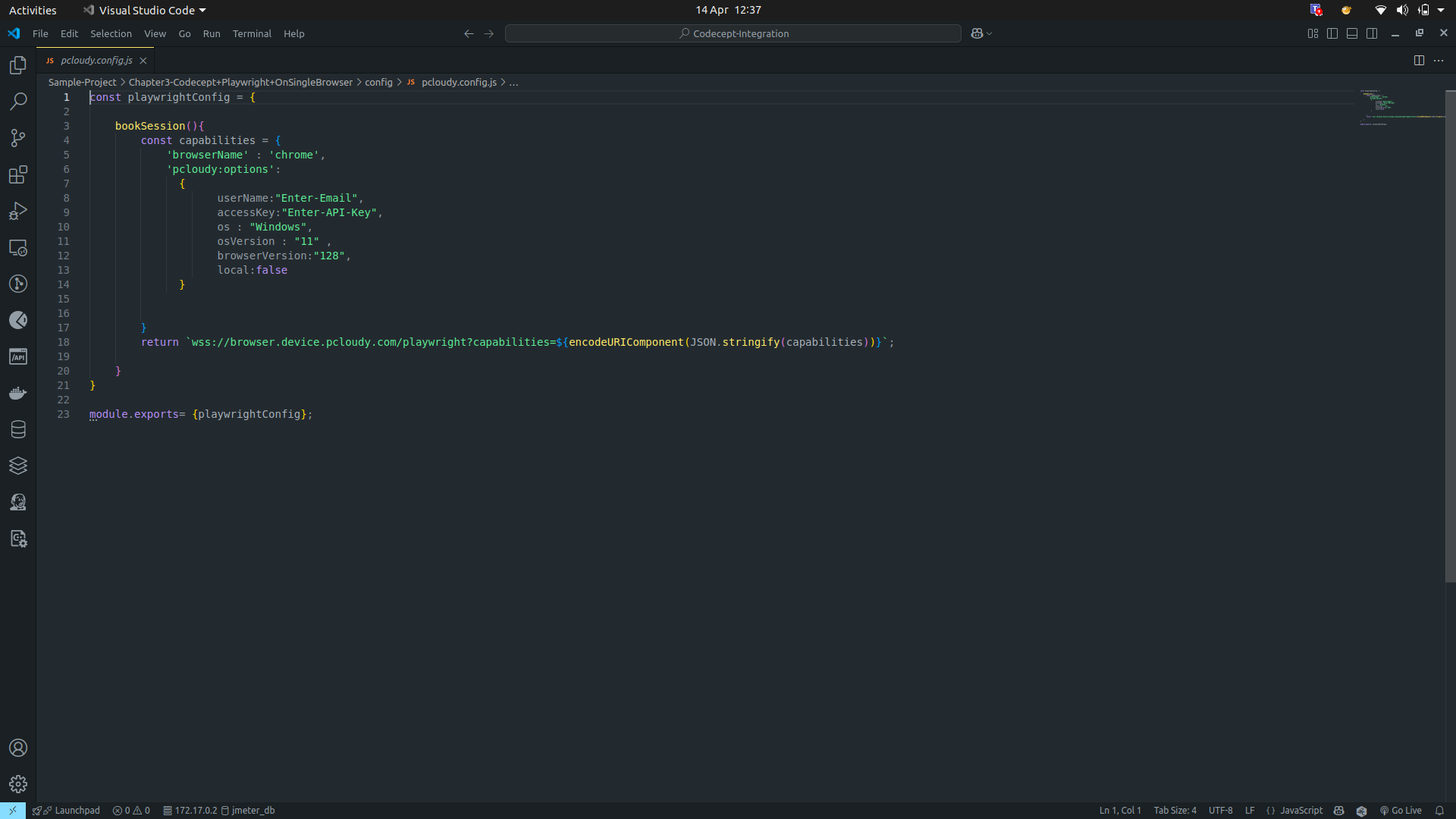
3. For Playwright
Ensure browser context and platform details are correctly configured in the Playwright section of the config file.
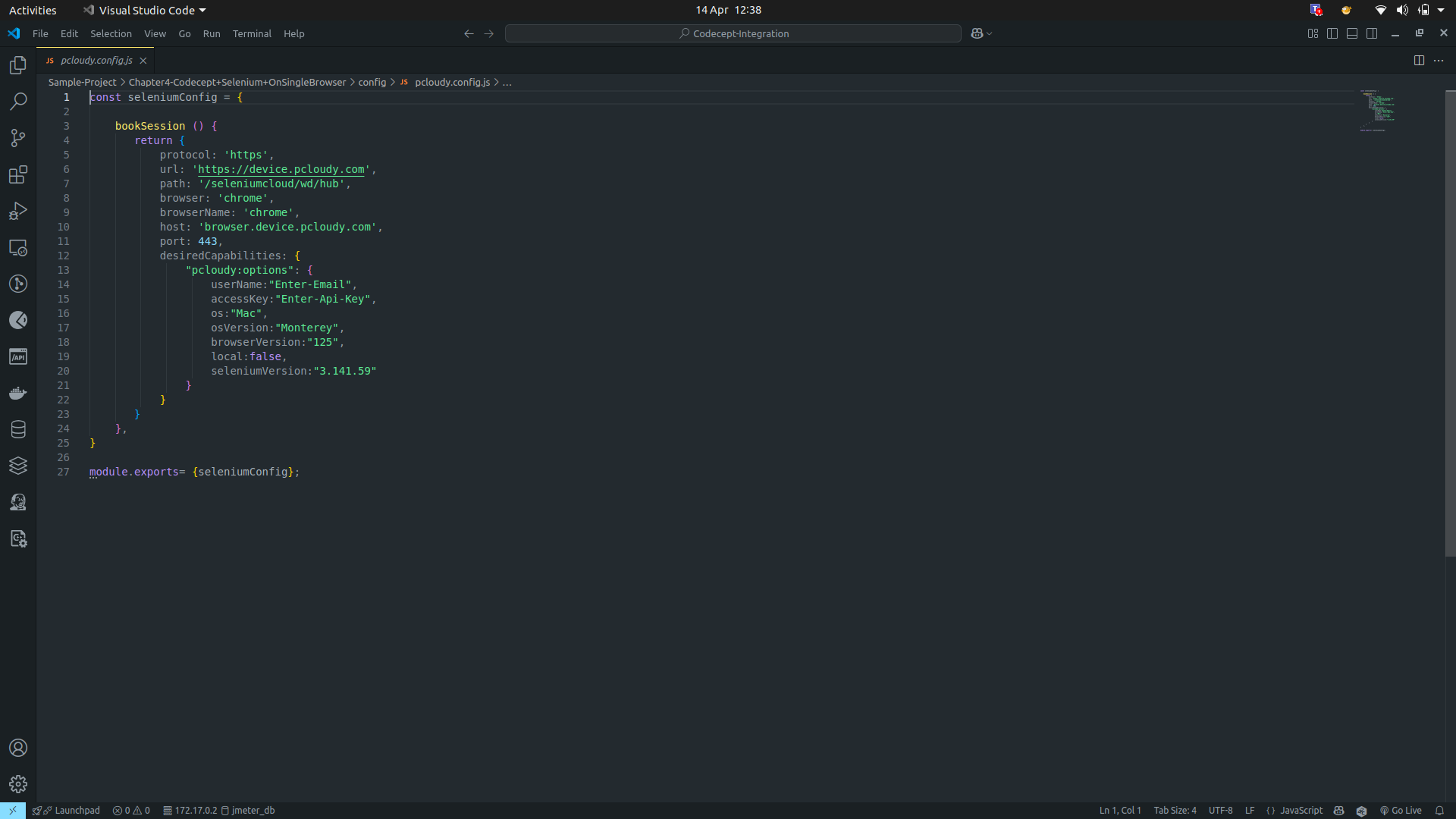
4. For Selenium Browser
Add Selenium WebDriver details and browser settings as required.
Running the Tests
1. For Real Devices (Native/Hybrid/Browser)
- iOS:
Terminal
npm run ios
- Android:
Terminal
npm run android
2. For Playwright / Selenium
Terminal
npm run test
Did this page help you?