
Pcloudy 7.3 Release Notes
Overview
Pcloudy 7.3 builds on its legacy of innovation by introducing key enhancements that improve performance analysis, collaboration workflows, visibility into test execution, and accessibility. This update includes features such as frame analysis in the UI Insight page, Apdex scoring for evaluating user experience, advanced test sharing and editing capabilities within QPilot.AI, and collection-level configuration for streamlined test management. Together, these updates empower QA teams to work smarter, faster, and with greater collaboration.
App Performance Experience Testing Enhancements
Frame Analysis and Jank Detection in UI Insight
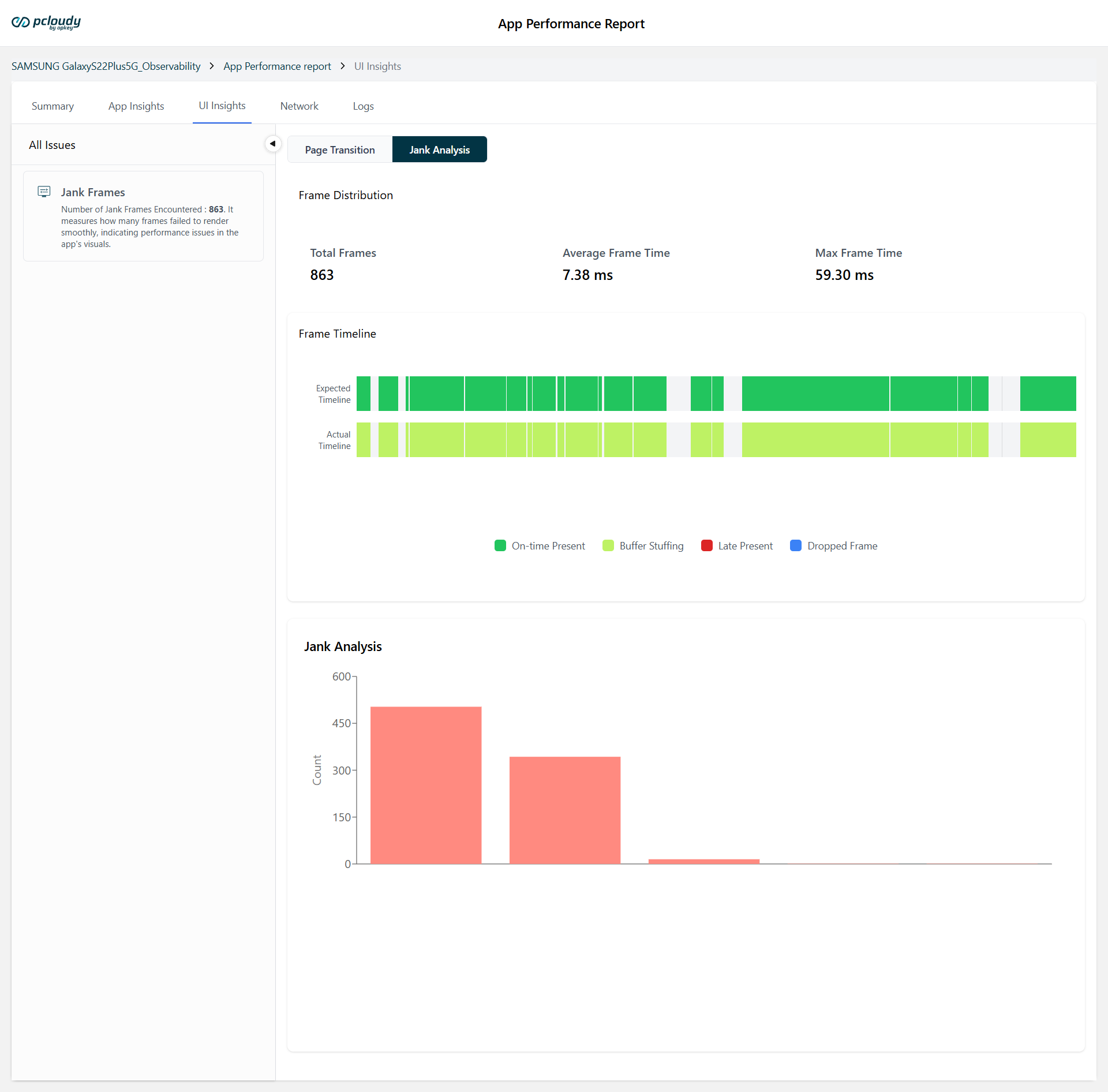
Access an enhanced frame analysis within the UI Insight page. This new enhancement provides testers with visual frame distribution metrics and jank analysis. This addition helps identify rendering delays and performance hiccups in app UI, making it easier to detect and address bottlenecks in user experience.
Apdex Score Integration
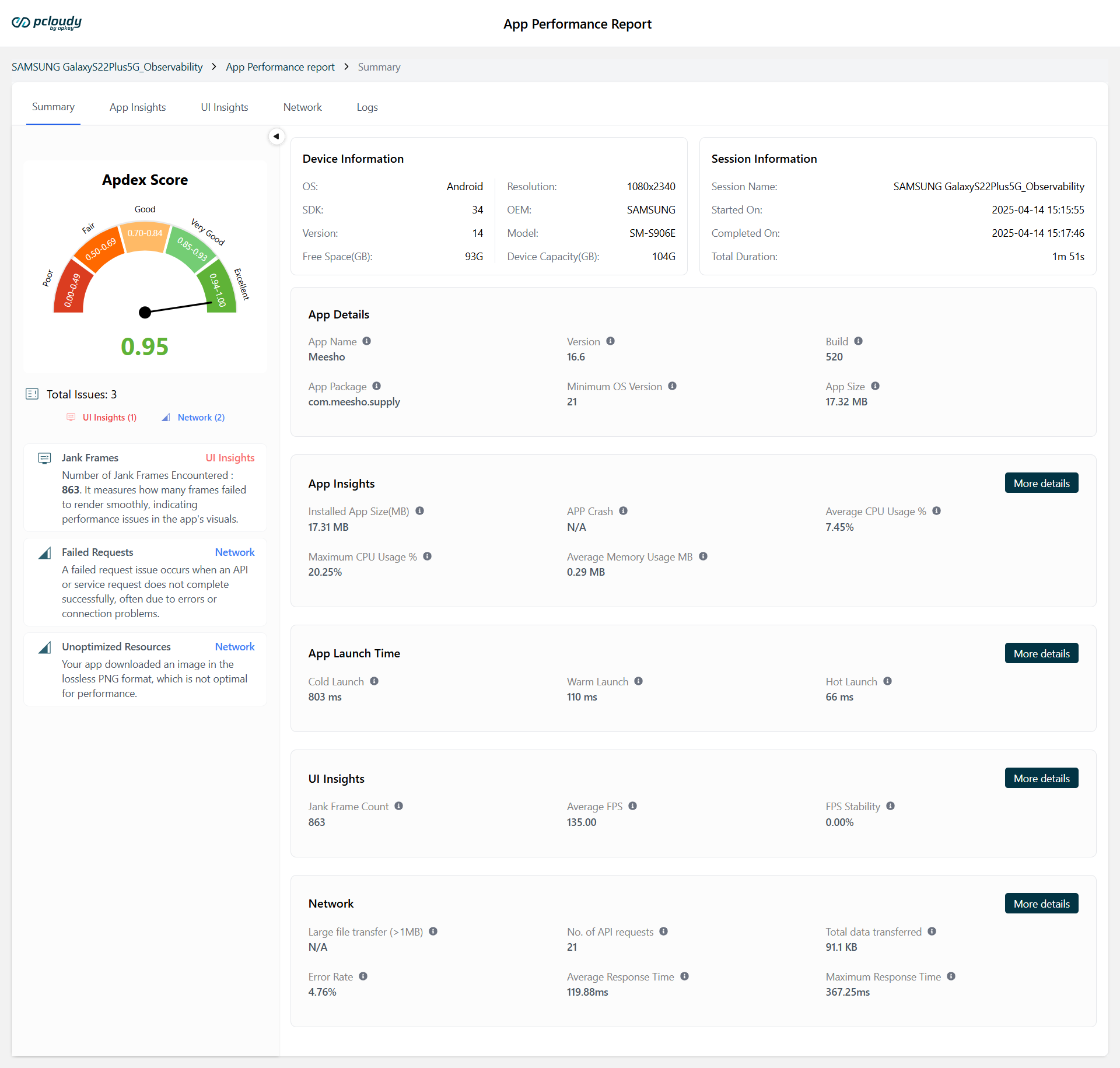
Pcloudy now includes Apdex (Application Performance Index) scoring. The Apdex score is a standardized metric that ranges from 0 to 1 and indicates how well an app is performing based on response times. The formula used is: Apdex = (Satisfied + (Tolerating / 2)) / Total. This score is categorized into five ranges from Poor (0.00–0.49) to Excellent (0.94–1.00).
App Launch Time on Android & iOS
We've introduced a new App Launch Time section that highlights these metrics, giving testers a quick and clear overview of launch performance across Android and iOS:
- Cold Launch: The slowest, triggered when the app starts after a reboot or isn't in memory
- Warm Launch: Faster, with the app process running but the activity needing recreation
- Hot Launch: The fastest, bringing the app back from the background with everything already in memory
QPilot.AI (Test Generation AI Agent) Enhancements
Collection-Level Configuration
Pcloudy 7.3 introduces collection-level configuration capabilities, allowing users to define and manage mobile or web application settings that apply across entire collections. This makes it easy to reuse and manage configurations efficiently when executing grouped tests.
Device Cloud Enhancements
Quick Dashboard View - Pass/Fail Status in Test Descriptions
Test descriptions will now display the pass or fail status of each step, providing a more transparent and informative view of test execution outcomes.
Easily Push Files to iOS Devices
Pcloudy now supports pushing various file types to connected iOS devices, including .pdf, .txt, .zip, .mp4, .png, .jpeg, .jpg, .apk, .ipa, .wav, .midi, .mid, .mp3, .aac, and .aab.
Browser Cloud Enhancements
The browser testing interface has received a facelift in this release, with several usability and design enhancements aimed at improving tester experience. The updated UI is more intuitive, providing better organization and a more seamless experience while reviewing browser-based test executions.
For any further assistance, you can contact our technical support team.
Did this page help you?