


Did you know that the previous year, the valuation of the Android emulator market was a whopping $3.8 billion? Android emulators are a core component of the development phase, but production-ready Android app testing, OEM compatibility, and hardware validation are a totally different game.
That’s the reason why most QA teams are increasingly adopting Android emulator alternatives such as cloud Android emulators and real device clouds to enhance release confidence and testing accuracy. This guide will take a detailed look at the best Android emulator alternatives for app testing in 2026.
Related Reading: Android Emulators: Features, Benefits, Limitations
Table of Contents
Why Teams Look for Emulator Alternatives
Most QA teams eventually outgrow Android emulators with increasing complexities and testing requirements. The requirement for alternatives usually comes up when emulator limitations start impacting regulatory compliance, release, speed, or quality. Here’s why most teams look for emulator alternatives.
- Biometric Testing Failures
It calls for real hardware to evaluate features such as secure device credentials, face unlock, and fingerprint authentication.
- Oem-Specific Bugs
Problems that only arise on manufacturer-customized Android versions tend to stay undetected while testing with emulators.
- Audit And Compliance Requirements
Regulated industries need testing evidence from real physical devices instead of simulated environments.
- CI/CD Scalability Obstacles
Enormous automated test suites can often become resource-intensive and slow when they run multiple emulator instances in parallel.
- BFSI and Enterprise Validation
Healthcare, financial services, banking, insurance, and government apps need frequent validation on real devices with conditions extremely similar to production.
Also Check Out: Best 10 Android Emulators for Chromebook [2026]
Test on real devices. Ship with confidence.
The Emulator Alternative Spectrum
Even though all alternatives don’t entirely replace emulators, most modern QA strategies use a combination of different environments on the basis of testing, accuracy, cost, balancing speed, and development stage. Let’s take a detailed look at the emulator alternative spectrum.
Category 1: Better Local Emulators
Advanced local emulators offer improved performance, enhanced device configuration, and more robust automation support as compared to basic Android emulators. While they are perfectly suited for debugging, early-stage automation, UI testing, and for developers, they still inherit at least some limitations that come with virtualized hardware.
Category 2: Cloud Emulators
Cloud Android emulators use cloud infrastructure for running virtual Android devices in contrast to local machines. Such platforms offer scalable browser-based access, which further makes them useful for CI/CD pipelines, collaborative QA, and remote testing while providing better flexibility as compared to local emulators.
Category 3: Real Device Clouds
Real device clouds offer access to plenty of physical Android devices without virtualization. QA teams can validate performance, OEM-specific behavior, hardware features, as well as production-ready UX. They highly preferred the option for enterprise-grade mobile, QA, compliance testing, and pre-release validation.
Category 4: Hybrid Approaches
For most QA teams, an effective testing strategy usually includes a combination of multiple testing environments. While developers utilize emulators for rapid debugging, coding, as well as early automation, real device clouds take charge of validating compatibility, performance, regression, and release. Such a hybrid approach delivers accelerated feedback during development without having to compromise on production quality.
Top 7 Android Emulator Alternatives
The best Android emulator alternative actually depends on what your unique testing requirements are. While a cloud Android emulator can be enough for accelerated debugging during development, real device clouds proved to be far more reliable for production-ready Android app testing, scalable automation, OEM compatibility, and hardware validation. Let’s check out some top Android emulator alternatives for QA engineers, developers, as well as enterprise testing teams.
1. Pcloudy

Pcloudy is one of the most comprehensive real device cloud builds, keeping end-to-end Android app testing in mind. Unlike most conventional Android emulators that just simulate devices, this platform offers QA teams instant access to more than 5,000 real Android and iOS devices across various screen sizes, operating system versions, and manufacturers.
This facilitates the validation of real-world UX device-specific problems, network behavior, and hardware. Dependent functionality is tested by QA teams before each release. The platform also offers support for the whole testing life cycle, starting from automated, functional testing, and manual exploratory testing to continuous monitoring and performance validation.
Qpilot.AI, Pcloudy’s AI agent, offers capabilities such as accelerated test maintenance and creation. While integrations with Espresso, Selenium, Appium, and CI/CD tools simplify fitting into current DevOps workflows. It also offers on-premise device lab deployment options and private cloud for highly regulated industries like BFSI, healthcare, and government.
Key Features:
- Access to more than 5, 000 real devices
- Qpilot.ai for AI-powered automation
- Real hardware testing for sensors, cameras, Bluetooth, NFC, GPS, and biometrics
- Manual, compatibility, automated, and performance testing
- Broader OEM coverage across Vivo, Oppo, Motorola, OnePlus, Xiaomi, Google Pixel, Samsung, and more
- Parallel testing for accelerated release cycles
- Integration with GitLab CI, Azure DevOps, GitHub Actions, Jenkins, etc
- On-premise deployment and private cloud for enterprise environments
- Enterprise-grade compliance and security for regulated industries such as BFSI
- Detailed logs, videos, reports, analytics, and screenshots for quicker debugging
Check out Pcloudy’s List of Real Devices for Testing
2. BrowserStack
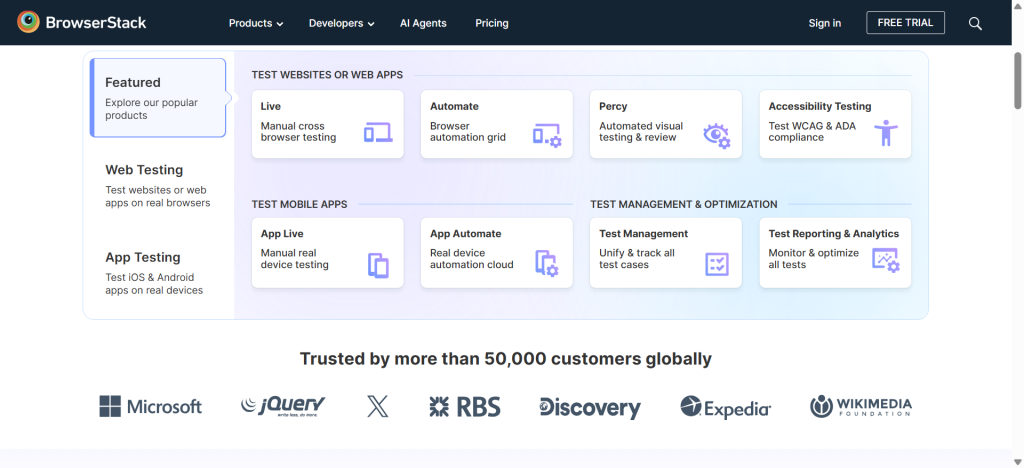
BrowserStack is a popular real-device cloud enabling QA teams to use physical devices for testing Android applications instead of virtual environments. It’s a great fit for organizations that require wide device coverage with sophisticated browser testing capabilities.
Key Features:
- Debugging tools and CI/CD integrations
- Parallel test execution
- Support for Selenium
- Cross-device and cross-browser testing
- Both automated and manual mobile app testing
- Extensive real Android device library
3. Sauce Labs

Enterprise-focused testing platforms that focus on mobile test automation as well as continuous testing. It’s particularly appropriate for organizations that run enormous test automation suites across various environments.
Key Features:
- Real device cloud for iOS and Android
- Enterprise automation
- Reporting in analytics
4. LambdaTest (Now TestMuAI)

LambdaTest offers cloud-based access to plenty of real Android devices as well as browser testing environments. This AI -powered platform provides an affordable option for QA teams that are looking to scale both manual and automated mobile testing without having to invest in expensive physical device labs.
Key Features:
- Cost-effective pricing
- CI/CD integration
- Appium support
- Agentic AI testing
- Extensive support for parallel execution
5. Firebase Test Lab

Firebase Test Lab, officially backed by Google, is a testing platform that runs Android apps on both real devices and virtual devices using Google Cloud to host them. It seamlessly integrates with the Firebase ecosystem and Android Studio, which makes it a convenient option for most Android developers.
Key Features:
- Automated test execution
- Free usage tier
- Instrumentation and Robo testing
- Extensive Firebase ecosystem support
- Native Android Studio integration
- Virtual and real Android device testing
6. AWS Device Farm

AWS Device Farm provides on-demand access to real Android devices via a flexible pay-as-you-go model. Model designed keeping AWS-invested organizations in mind, this platform is the most popular for its enterprise-scale testing.
Key Features:
- An enormous fleet of a variety of real Android devices
- Pay-per-use pricing for economic viability
- AWS ecosystem integration with automation testing support
- Detailed test reports and logs
7. Genymotion Cloud

Genymotion Cloud is a popular cloud Android emulator hosting virtual Android devices in the cloud. In contrast to local machines, emulators won’t be able to completely replace real device testing. Genymotion Cloud offers easier collaboration and better scalability than traditional local Android emulators.
Key Features:
- Appropriate for debugging, early-stage testing, and development
- Scalable cloud infrastructure
- REST API as well as CI/CD integration
- Browser-based access
- Faster provisioning as compared to local emulators
- Cloudhost and Android virtual devices
Test on real devices. Ship with confidence.
Comparison Table:
| Tool | Real Device | Free Plan | CI/CD | BFSI Compliance | Private Cloud |
|---|---|---|---|---|---|
| Pcloudy Recommended | Yes | Trial | Yes | PCI‑DSS and SOC 2 | Yes |
| BrowserStack | Yes | Trial only | Yes | Limited | No |
| Sauce Labs | Yes | No | Yes | Limited | No |
| LambdaTest | Yes | Limited | Yes | No | No |
| Firebase Test Lab | Mixed | Free tier | Yes | No | No |
| AWS Device Farm | Yes | Pay-per-use | Yes | Limited | No |
| Genymotion Cloud | Emulator | Limited | Yes | No | No |
Why Banking Teams Can’t Use Emulators or Cloud Emulators for Compliance Testing
BFSI applications are responsible for handling regulated authentication, workflows, secure transactions, and sensitive user data that can’t be precisely validated on virtual devices on their own. While cloud Android emulators and Android emulators can turn out to be useful for development, they don’t have enough hardware needed for production-grade compliance, audits, and security testing. Real device testing is the industry standard for BFSI organizations.
Hardware-Backed Security Validation
Vital banking features like device integrity, checks, certificate management, secure key storage, OTP verification, and biometric authentication depend on trusted execution environments and physical hardware. Organizations can’t fully replicate such scenarios with the help of emulators or virtual devices.
Regulatory and Compliance Requirements
Organizations that walk towards standards like SOC2 and PCI-DSS often require testing evidence from a variety of real devices. Therefore, a real-world cloud is able to help teams validate real-world security workflows while offering support for compliance requirements and audit readiness.
How to Choose the Right Alternative
Deciding on the right Android emulator alternative usually depends on your compliance requirements, team size, and where you are in your SDLC. While cloud emulators and Android emulators are appropriate for early testing and rapid development, real-device clouds offer the much-needed accuracy for Android app testing in production, enterprise deployments, and hardware validation.
1. Use Case
Your choice of testing platform should follow unique testing requirements. As QA teams grow in size and testing becomes much more automated, switching to a real device cloud is the wise move.
2. Compliance Requirements
Apps in highly regulated industries such as government, healthcare, banking, etc., need more than just functional testing. If your app must validate biometric authentication, device security, OTP workflows, or adhere to standards like SOC 2 and PCI DSS, the most appropriate Android emulator alternative is a real device cloud for compliance-ready testing.
3. Team Size
Smaller QA teams often make the most out of the simplicity and reasonable costs of cloud or local emulators during development. As QA teams grow in size and testing tends to become more automated, real device clouds. Provide better scalability, seamless CI/CD integration, and parallel execution to facilitate accelerated release cycles.
Conclusion
Android emulators don’t even come close to real device testing for compliance, hardware validation, and production releases. A hybrid strategy that combines the use of emulators during development and real device cloud pre-release ends up delivering the perfect balance of quality and speed.
Pcloudy features 5,000+ real devices and Qpilot.AI, along with on-premises and private cloud deployment options, Enterprise security, and a high level of trust base to confidently test Android apps at scale. Check it out for yourself with its 30-day free trial.
FAQs
Can we replace Android Studio Emulator with a real device cloud?
Yes, multiple QA teams use it only for development and eventually make the switch to a competent real device cloud for automation, manual testing, and release validation.
What is the best alternative to Android emulators for mobile application testing?
A real device cloud is usually the best Android emulator alternative for mobile app testing, especially when it comes to production readiness, since it offers accurate compatibility, performance, and hardware testing on physical devices.
Are there free Android emulator alternatives for application testing?
Yes, and there are free Android emulator alternatives beneficial for app testing, including Android Studio Emulator and Firebase Test Lab, whereas plenty of real device cloud providers like Pcloudy also offer free trials.
Which Android emulator alternatives support CI/CD pipelines?
Platforms such as Pcloudy, Genymotion Cloud, and AWS Device Farm integrate with the most popular CI/CD tools like GitLab CI, GitHub Actions, and Jenkins.
Which Android emulator alternatives are appropriate for fintech and banking app testing?
Real device clouds are the ideal choice for banking and fintech applications due to their ability to facilitate accurate testing for compliance requirements, hardware, security features, OTPs, biometrics, etc.
Related reading:
- Mobile App Testing: What It Is, How It Works, and Types →
- Types of Mobile App Testing →
- Best Mobile Testing Tools →
- Mobile Device Lab — 5,000+ Real Devices →

 Jeroline

 Nazneen Ahmed







