


Did you know that the global software testing market is estimated to reach $93.2 billion by the year 2033? Software testing tools assist QA teams in automating tests, validating app behavior, and identifying defects across mobile, API, performance, and web testing. This guide comprehensively covers the 19 best software testing tools for QA teams in 2026.
Test on real devices. Ship with confidence.
What are Software Testing Tools?
Software testing tools refer to platforms or frameworks that help QA teams verify software quality via API, functional, visual, performance, automated, and mobile testing. Application testing software can offer support for multiple stages of the SDLC, with tools like Appium, Selenium, Pcloudy, Katalon, etc., offering various testing capabilities.
How to Choose Application Testing Tools in 2026
Choosing the appropriate application testing tools depends on your budget, infrastructure, team skills, testing needs, and application type. Here’s how to evaluate application testing tools in 2026.
Automation and Coverage
Check support for mobile, web, desktop, and API testing, as well as performance testing and integrations with frameworks such as GitLab, Azure DevOps, Jenkins, GitHub Actions, etc. When it comes to mobile apps, give some priority to real devices over just emulators.
Scalability and AI
Check for AI capabilities like self-healing, test generation, visual validation, test optimization, and failure analysis. Also consider Enterprise deployment needs along with large test suites, cloud infrastructure, and parallel execution.
Security and Pricing
Compare commercial platforms with their managed infrastructure to open-source licensing costs. Regulated industries like fintech, banking, and healthcare should evaluate compliance requirements, data controls, deployment options, and certifications.
Also Check Out: 15 Best QA Testing Tools for Automation, Mobile & enterprise Teams in 2026
19 Best Software Testing Tools for QA Teams in 2026
Here are the tools that cover different parts of modern QA, from mobile and browser automation to test management, visual validation, and performance testing. Let’s check out these 19 best software testing tools for QA teams in 2026.
1. Pcloudy

Pcloudy is a leading cloud-based testing platform focused on real device automation, mobile testing, AI-powered testing, and performance monitoring. It offers support for iOS and Android devices and can easily be deployed via public, private cloud, or on-premises environments.
G2 Rating:
4.4/5 based on approximately 90 user reviews.
Strengths:
- 5,000+ real browser and device combinations
- Appium, XCUITest, Selenium, Espresso, and Playwright support
- AI-based test creation + maintenance
- 60+ performance metrics
- Private cloud with on-premise deployment
- SOC 2 Type II, PCI-DSS, GDPR, ISO 27001, and HIPAA support
Weaknesses:
- More functionality and infrastructure than smaller QA teams might need
- Commercial pricing tends to be higher than open-source frameworks
Pricing:
Free trial available, with Enterprise pricing on request
App Performance $239/mo; Test Automation Agent $200/mo; Visual Testing $80/mo; Accessibility $23/mo
Best For:
BFSI testing, mobile applications, Enterprise QA teams, and teams that need controlled deployment with real-device coverage.
Also Read: Exploratory Testing, A Guide Towards Better Test Coverage
2. Selenium

Selenium is the OG among the most widely adopted open-source test automation frameworks. Selenium WebDriver offers support for various programming languages as well as browsers, whereas Selenium Grid facilitates distributed execution.
G2 Rating:
4.3/5 on the basis of 233 reviews.
Strength:
- Broad language and browser support
- Open-source, low cost
- Selenium grid ideal for parallel testing
- Great CI/ CD compatibility
- Enormous ecosystem
Weaknesses:
- Primarily focused on browser automation
- Test infrastructure requires constant maintenance.
- Needs some level of programming language knowledge.
Pricing:
Open source and free of cost
Best for:
QA teams building large regression suites and customizable web automation frameworks.
3. Playwright
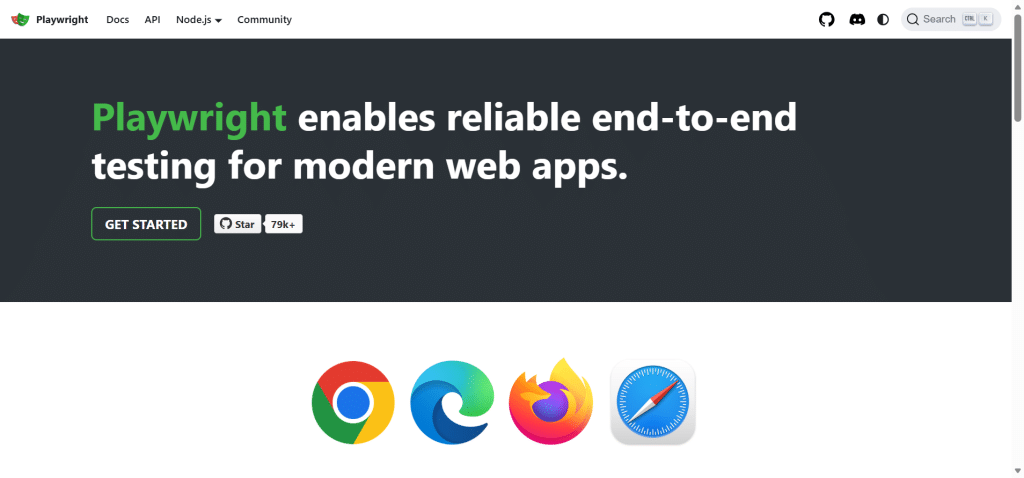
Playwright is a popular open-source framework by Microsoft for end-to-end web testing. It offers support for WebKit, Firefox, and Chromium and also includes Trace Viewer, network interception, parallel execution, and auto waiting.
G2 Rating:
4.8/5
Strength:
- Accelerated browser automation
- Robust CI/CD support
- Built-in debugging and tracing
- Cross-browser support
- Auto waiting reducing flaky tests
Weaknesses:
- Small ecosystem as compared to Selenium
- Primary focus on web applications
Pricing:
Open-source and free of cost
Best for:
Developer-led continuous testing and modern web applications.
Related: A Comprehensive Guide on Playwright Test Automation
4. Cypress

Cypress is a leading JavaScript-based software testing framework suitable for modern web applications. It offers real-time automatic waiting, browser execution, debugging, and component testing.
G2 Rating: 4.7/5 from around 108 reviews
Strengths:
- Seamless developer experience
- Robust debugging capabilities
- Automatic waiting
- Component & end-to-end testing
- Open-source core
Weaknesses:
- Mainly web-focused
- Some advanced cloud capabilities call for paid plans
Pricing: Free and open-source option; paid Cypress Cloud plans are also available (Team $799/yr; Business $3,199/yr; Enterprise: custom)
Best for: JavaScript teams wanting to test modern frontend apps.
5. Appium

Appium is one of the most popular open-source frameworks and application software testing tools for automating hybrid, native, and mobile web apps. It supports both iOS and Android and allows QA teams to use various programming languages.
Strengths:
- Cross-platform mobile automation
- Open-source
- Multiple languages support
- Works well with real devices as well as emulators
- Gigantic ecosystem
Weaknesses:
- Requires at least some automation expertise
- Device infrastructure might need some additional tooling
- UI changes may need test maintenance
Pricing:
Free + open source.
Best for:
Mobile QA teams that require reusable Android + iOS automation.
6. Katalon

Katalon is an AI-augmented software testing platform covering API, mobile, web, and desktop applications. It mixes low-code capabilities with scripting, followed by integration with common DevOps tools.
G2 Rating: 4.4/5 based on 227 reviews
Strengths:
- Web, mobile, API, and desktop coverage
- Low-code with scripted testing
- AI-assisted capabilities
- CI/CD integrations
- Centralized testing workflow
Weaknesses:
- Advanced functionality needs paid plans
- Some users report the presence of several learning and performance considerations
Pricing:
Availability of a free option, with paid plans starting around $167/user/month
Best for: QA teams that want an all-in-one application testing platform.
7. JMeter

Apache JMeter is another leading free and open-source performance testing tool for stress, load, and scalability testing. It supports HTTP, REST, HTTPS, JDBC, FTP, JMS, and other protocols.
Strengths:
- Free & open source
- Broad protocol support
- Comprehensive plugin ecosystem
- Distributed testing
- High CI/CD compatibility
Weaknesses:
- Resource-intensive at a high concurrency
- GUI-based test creation can be complex for large suites
Pricing:
Free and open source
Best for:
QA teams performing performance and load testing of web apps and backend systems.
8. TestNG

TestNG is a widely used Java testing framework supporting integration, unit, functional, and end-to-end testing. It offers annotations, test grouping, dependencies, parameterization, and parallel execution.
Strengths:
- Flexible test organization
- Parallel execution
- Data-driven testing
- Strong Java ecosystem
- Works with tools like Selenium and even CI tools
Weaknesses:
- Java-focused
- Needs programming knowledge
Pricing:
Free and open source.
Best for:
Java teams that are building structured automated test suites.
9. Espresso

Espresso belongs to Google and is their native Android UI testing framework. It offers synchronization with the app UI and closely integrates with Android development tools.
Strengths:
- Native Android integration
- Accelerated execution
- Automatic synchronization
- Highly reliable UI interactions
Weaknesses:
- Android only
- Needs some Android development knowledge
Pricing:
Free and open source.
Best for:
Native Android app testing
Test on real devices. Ship with confidence.
10. XCUITest

XCUITest is Apple’s user interface testing framework for iPadOS, iOS, and tvOS applications. It works via Xcode and XCTest and provides support for real devices and simulators.
Strengths:
- Native Apple integration
- Reliable UI interaction
- XCTest integration
- Real-device & simulator support
Weaknesses:
- Apple is the core platform of focus which can be somewhat limiting
- Requires Swift fundamentals or Objective-C knowledge
Pricing:
Free of cost with Apple’s development tooling
Best for:
Native iOS and iPadOS application testing
11. Tricentis

Tricentis offers enterprise-quality engineering as well as robust test automation capabilities across SAP, mobile, web, API, and other app environments. The platform increasingly includes AI with risk-based testing.
Strengths:
- Enterprise automation
- AI-assisted and risk-based testing
- Wide application coverage
- Governance & reporting
Weaknesses:
- Enterprise-level implementation can turn out to be complex
- Commercial pricing is usually only for larger organizations
Pricing:
Quote-based
Best for:
Large enterprises with high-complexity app portfolios
12. Mabl

Mabl is a popular AI-powered testing platform with its core focus on web and API testing. Some of its key capabilities are conversational test creation, failure analysis, self-healing, and continuous testing.
Strengths:
- AI-assisted test creation
- Production monitoring
- Low and pro-code workflows
- Self-healing
- CI/CD integration
Weaknesses:
- Cloud-centric approach
- Any advanced capabilities call for paid plans
Pricing:
Quote-based with availability of trial options
Best for:
Agile teams on the lookout for AI-based continuous testing
13. Testim

Testim is another leading AI-powered test automation platform used by QA teams across the globe to create as well as maintain functional tests. It leverages the power of smart locators and AI-assisted maintenance to reduce any form of test instability.
Strengths:
- AI-assisted test creation and maintenance
- CI/CD integration
- Low-code authoring
- Support for custom code
- Visual debugging
Weaknesses:
- Primarily appropriate for teams seeking commercial automation
- Advanced functionality needs paid plans
Pricing:
Free trial with commercial plans being quote-based.
Best for:
QA teams looking forward to reduce automated UI test maintenance.
14. k6

k6 is one of the most popular choices when it comes to picking an open-source performance testing tool that has JavaScript and developer workflows as its core focus. It supports API, load, spike, stress, soak, and browser testing.
Strengths:
- JavaScript scripting
- Cloud scaling
- Lightweight test execution
- Smooth CI/CD integrations
- API and browser testing
Weaknesses:
- Less GUI-oriented as compared to traditional tools
- Advanced cloud functionality requires paid plans
Pricing:
Free open-source core with Grafana Cloud k6 providing the option for paid plans (Pro from $19/mo)
Best for:
SREs, Developers, and QA engineers that build performance tests into CI/CD.
15. BrowserStack
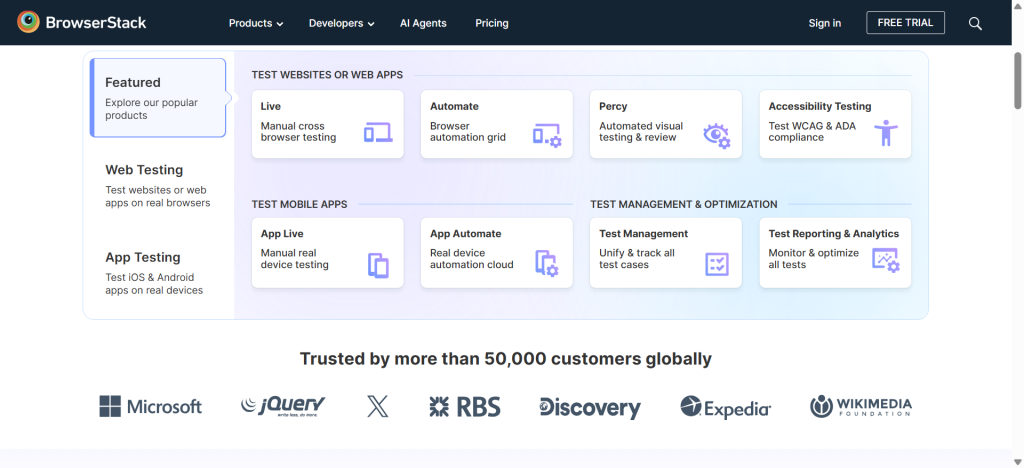
BrowserStack is one of the topmost cloud testing platforms that provide access to real browsers and devices. It provides extensive support for automated testing with Appium, Selenium, Playwright, and plenty of other important frameworks.
G2 Rating:
4.4/5 from 3,000+ reviews
Strengths:
- Real device and cross-browser testing
- Parallel execution
- Broader automation framework support as compared to other software testing tools
- Cloud infrastructure
- CI/CD integrations
Weaknesses:
- Costs rapidly rise with usage
- Needs cloud connectivity
Pricing:
Free trial with paid plans varying by product and usage (annual plans from $12.50/mo equivalent)
Best for:
QA Teams that require managed real-device and browser testing without having to maintain physical infrastructure.
16. Ranorex

Ranorex is a leading commercial GUI automation platform for web, desktop, and mobile applications. It offers support for both low-code as well as scripted automation.
Strengths:
- GUI-focused automation
- Low and full-code workflows
- Object recognition
- Enterprise integrations
- Detailed reporting
Weaknesses:
- Commercial licensing
- Can call for extensive additional setup for mobile environments
Pricing:
Commercial with annual licenses between $1,804–$6,499
Best for:
Enterprises needing GUI automation across web, desktop, and mobile applications.
17. TestRail

TestRail is a popular test management platform to organize test cases, requirements, test runs, results, and reporting. It’s designed to provide a central view of QA activity.
Strengths:
- Test case management
- Reporting and dashboards
- Requirements traceability
- CI/CD integrations
- AI-powered test generation
Weaknesses:
- Not an ideal automation execution framework
- Subscription costs can keep on scaling with users
Pricing:
Commercial subscription with the option to sign up for free trial
Professional $420/user/yr; Enterprise $852/user/yr
Best for:
Teams that require centralized test management + traceability
18. Cucumber

Cucumber is a BDD framework that leverages the power of a Gherkin syntax as it expresses tests in easily readable Given-When-Then scenarios. Let’s check out some of its strengths and weaknesses as one of the affordable software testing tools for startups.
Strengths:
- Business-readable tests
- Strengthened collaboration between product and QA teams
- Multiple language implementations
- Smoothly integrates with Playwright, Selenium, and Appium
Weaknesses:
- Adds a layer of complexity when BDD is not a requirement
- Needs disciplined scenario maintenance
Pricing:
Open-source tools are free of cost and commercial offerings tend to vary.
Best for:
QA and product teams using BDD for connecting development, requirements, and testing.
19. Applitools

Applitools offer AI-powered visual testing for mobile, web, and native applications. Its Visual AI creates a comparison between application interfaces, simultaneously accounting for visual and dynamic content changes.
Strengths:
- AI-based visual validation
- Device and cross-browser coverage
- Visual regression testing
- Integrations with Cypress, Selenium, Playwright, and Appium
- Accessibility with UI validation capabilities
Weaknesses:
- Doesn’t replace complete functional automation
- Commercial pricing tends to be higher than some basic visual-diff tools
Pricing:
Free trial with paid plans varying by usage
Starter $667/mo billed annually
Best for:
Teams requiring visual regression testing with functional automation
Software Testing Tools: Features at a Glance
| Tool | Primary Use | Mobile | Web | Real Devices | AI |
|---|---|---|---|---|---|
| Pcloudy | Real-device testing | Yes | Yes | Yes | Yes |
| Selenium | Browser automation | Limited | Yes | Via cloud | Limited |
| Playwright | Web automation | Limited | Yes | Via cloud | Limited |
| Cypress | Web testing | Limited | Yes | Via cloud | Limited |
| Appium | Mobile automation | Yes | Yes | Via integrations | Limited |
| Katalon | Test automation | Yes | Yes | Via integrations | Yes |
| JMeter | Performance testing | Limited | Yes | No | No |
| TestNG | Test framework | Limited | Yes | Via integrations | No |
| Espresso | Android testing | Yes | No | Yes | No |
| XCUITest | iOS testing | Yes | No | Yes | No |
| Tricentis | Enterprise testing | Yes | Yes | Via products | Yes |
| Mabl | AI automation | Limited | Yes | Limited | Yes |
| Testim | Test automation | Limited | Yes | Via integrations | Yes |
| k6 | Performance testing | No | Yes | No | Limited |
| BrowserStack | Cloud testing | Yes | Yes | Yes | Limited |
| Ranorex | GUI automation | Yes | Yes | Limited | Limited |
| TestRail | Test management | Yes | Yes | No | Yes |
| Cucumber | BDD | Yes | Yes | Via integrations | No |
| Applitools | Visual testing | Yes | Yes | Via integrations | Yes |
Why Real-Device Testing Matters for Enterprise QA
While emulators and browser automation turn out to be valuable, they can’t replicate every physical device condition. Mobile app behavior highly depends on biometrics, hardware, network behavior, battery conditions, operating system variations, as well as device-specific performance.
They are especially important for banking and fintech apps where certificates, payments, transaction workflows, and authentication require realistic validation. Real device platforms such as Pcloudy, provide an AI-powered real device cloud to replicate the physical environment for running tests.
Also Check Out: Best Bug Tracking Tools for QA Teams [2026]
Conclusion
The best software testing tools depend on the organization’s budget, infrastructure, testing goals, and application under test. While Selenium, Appium, Cypress, and Playwright extensively support automation, Applitools, TestRail, k6, and JMeter cover visual testing, test management, and performance testing. Organizations should opt for a tool that provides ample support for compliance, scalability, high security, and real devices, which you can test for yourself with Pcloudy’s 30-day free trial.
FAQs
What are application testing software tools?
Application testing software tools are meant to help QA teams test performance, functionality, reliability, security, and usability across apps.
What are some of the best affordable software testing tools preferred by startups?
Startups prefer free-to-use, open-source testing tools such as Espresso, XCUITest, JMeter, Cypress, Playwright, Appium, and Selenium to reduce or get rid of licensing costs altogether.
What software testing tools offer support for CI/ CD?
Some of the most popular application testing tools that offer support for CI/ CV integrations include Selenium, Cypress, Appium, Playwright, Katalon, BrowserStack, JMeter, k6, and Pcloudy.
What kind of software testing tools use AI?
Some of the most popular software testing tools that offer AI-powered capabilities like test generation and maintenance, visual validation, and test analysis include Pcloudy, Katalon, Tricentis, Applitools, Testim, Mabl, and TestRail.
Which software testing tools are ideal for mobile applications?
Appium, XCUITest, Espresso, Pcloudy, and Katalon provide exceptional support for mobile testing across various use cases.
What software testing tools use AI-powered features?
Pcloudy, Katalon, Tricentis, Testim, Mabl, Applitools, and TestRail all provide AI-powered capabilities like test generation, analysis, maintenance, and visual validation.
Read Next:
- Best 10 Android Emulators for Chromebook
- Best 10 iOS Emulators for PCs
- Best 10 Mac Emulators for PCs
- Android Emulators: Features, Benefits, Limitations
- How to Test Multi-Language and RTL Apps on Real Devices
- How to Test Network Switching (WiFi ↔ 4G ↔ 5G) in Real-Time
- Top 10 Mobile Testing Tools in the USA
- Top 10 Regression Testing Tools for Mobile Apps
- Speed: The Foundation of Real Device Testing

 Jeroline

 Nazneen Ahmed







